download contacts
15
This allows the speakerphone to announce the name of
your incoming caller.
1
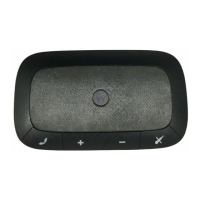
Press and hold the Mute/Favorite Contacts button
until you hear“connection to <phone name> has
been dropped, ready to receive V-card”.
2
Select one or more phonebook contacts on your
phone and send it to your speakerphone via
Bluetooth (see your phone’s user guide for detailed
instructions).
To exit, press and hold Mute/Favorite Contacts
button. Otherwise, your speakerphone automatically
exits after 1 to 2 minutes of inactivity (no button
presses). When exiting, you hear “connected to
<phone name>” as speakerphone connects back to
the phone. If you have reached the maximum
allowable downloaded contacts, you hear
“maximum v-card entries has been reached,
connected to <phone name>”.
Note:
Your speakerphone automatically exits phonebook
mode after 30 seconds of inactivity (no button presses).



 To Next Page
 Loading...