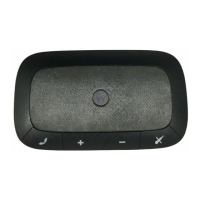
connect wirelessly
6
reconnect
After initially pairing and connecting your phone and
speakerphone, you don’t need to do it again.
For daily use, make sure your speakerphone is turned on,
and your phone’s Bluetooth feature is on. Your
speakerphone and phone will connect automatically!
test your connection
1
Slide the speakerphone onto your visor (see page 7).
2
On the phone, dial the number and press the
Call/Send
key.
If your phone and speakerphone are successfully
connected, you hear ringing on the speakerphone.



 To Next Page
 Loading...