EasyManua.ls Logo

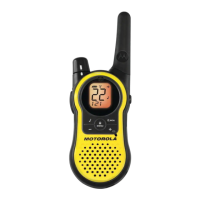
Motorola TALKBOUT T5210 - User Manual

Motorola TALKBOUT T5210
27 pages
Print Icon
To Next Page IconTo Next Page
Loading...
• No license fee or airtime charges!
• Audible Call Tone
Ringing option so your group can
identify who’s calling
• Keypad Lock
Prevents your settings from being
accidentally changed
• Illuminated display
Easy to read your settings in dark
places
• Batteries (not included)
Requires 3 AA Alkaline batteries
• Quick Release Swivel Belt
Clip Included
• Durable, fixed antenna
Maximizes talk range
• Up to 2 mile range
Depending on terrain and
conditions
• “Roger” Beep
Signals others you’re done talking
• Scan (T5210 Only)
Easily finds your group’s channel
and code by searching all
combinations
• Talk Hands-Free (VOX)
(T5220 Only)
“Voice activation” (VOX) Lets
you talk hands-free when used
with optional accessories
• 1 Year Limited Warranty
For warranty details call
1-800-353-2729
• Weather-resistant
• 14 channels
Privacy feature that helps
minimize interference from other
groups
• Call Button
Get others’ attention before you
start talking
• Low Battery Alert
Audible tone and visual display
tell you your battery is running
down
• User’s Guide included
Accessories for T5000 series - Convenient headphones, mesh and waterproof carry cases available from your
retailer or www.motorola.com
WARNING
CHOKING HAZARD - SMALL PARTS
Not for children under 3 years.
This product is not intended to be used as a toy or plaything.
MOTOROLA, the stylized M Logo, TALKABOUT, and all other trademarks indicated as such
herein are trademarks of Motorola, inc. ® Reg. U.S. pat. & Tm. Off. All other product or
service names are the property of their respective owners. © 2001 Motorola, Inc.
All rights reserved. Printed in China.
Question and Answer IconNeed help?

Do you have a question about the Motorola TALKBOUT T5210 and is the answer not in the manual?

Summary

Your New Radio

Radio Diagram

Provides a visual overview of the radio's components and controls.

Battery Management

Installing Batteries

Step-by-step instructions for inserting AA alkaline batteries into the radio.

Radio Etiquette Guidelines

Rules for polite and effective communication on shared channels.

Belt Clip and Front Cover

Belt Clip Attachment and Removal

Instructions on how to attach and detach the swivel belt clip.

Front Cover Installation and Removal

Steps for removing and reattaching the customizable front cover.

Basic Radio Operation

Turning the Radio On and Off

Procedures for powering the radio on and off using the power knob.

Monitor Button Usage

Explains how to use the monitor button to check channel activity and adjust volume.

Channel Busy Indicator

Describes the LED indicator that shows when a channel is in use.

Adjusting Audio Volume

Instructions for setting a comfortable listening volume level.

Advanced Operation Features

Time-out Timer Function

Details the feature that prevents continuous transmission and saves battery.

Menu Lock Functionality

Explains how to lock and unlock the radio's settings to prevent accidental changes.

Setting Channel and Code

Guides users on how to select radio channels and interference eliminator codes.

Communication Features

Using the Call Tone

How to use the call tone to alert other users before speaking.

Roger Beep Setting

Instructions for enabling or disabling the beep that signals the end of transmission.

Scanning Channels (T5210 Only)

Hands-Free and Messaging

Hands-Free VOX Operation (T5220 Only)

How to use voice activation (VOX) with accessories for hands-free communication.

Sending and Receiving Messages

Procedures for transmitting and receiving voice messages using the PTT button.

Power and Accessories

Battery Meter and Low Battery Alert

Information on checking battery status and responding to low battery warnings.

Using Audio Accessories

Steps for connecting and using external audio accessories with the radio.

Talk Range and Care

Understanding Talk Range

Explains factors affecting the radio's transmission range in different environments.

Radio Cleaning and Maintenance

Guidelines for cleaning and maintaining the radio's physical condition.

Safety and RF Information

Safe Operation Guidelines

Important information for safe and efficient radio usage.

RF Operational Characteristics

Details the radio's frequency range and RF energy transmission.

Exposure to Radio Frequency Energy

Information on compliance with standards for human exposure to RF energy.

RF Exposure Compliance

Portable Radio Operation Compliance

Procedures to ensure compliance with RF exposure guidelines during use.

Body-worn Operation Compliance

Guidelines for maintaining RF exposure compliance when wearing the radio.

Electromagnetic Interference

Interference in Facilities and Aircraft

Instructions for avoiding interference in specific locations like hospitals or planes.

Medical Device Interference

Information on potential interference with pacemakers, hearing aids, and other devices.

Driving and Hazardous Environments

Safe Driving Practices

Recommendations for using the radio safely while driving.

Operational Warnings

Precautions for use in vehicles with airbags or potentially explosive atmospheres.

Operational Cautions

Antenna Safety

Warnings regarding the use of damaged antennas and contact with skin.

Battery Handling Precautions

Safety advice for handling batteries to prevent short circuits and burns.

Troubleshooting Common Issues

Power and Display Problems

Solutions for issues like no power or erratic display readings.

Transmission and Reception Issues

Troubleshooting steps for messages not transmitted or received.

Audio and Channel Noise

Guidance for resolving issues with hearing other conversations or channel noise.

Advanced Troubleshooting

Limited Talk Range Solutions

Tips for improving transmission range and resolving signal limitations.

Static and Interference Resolution

Methods to reduce static and interference for clearer communication.

Motorola Limited Warranty

Warranty Coverage Duration

Details the period for which the radio is covered by the limited warranty.

Warranty Conditions and Exclusions

Outlines the terms, conditions, and what is not covered by the warranty.

Warranty Service and Legal Provisions

Obtaining Warranty Service

Instructions on how to contact Motorola for warranty repairs or replacements.

General Warranty Terms

Explains the scope of the warranty and disclaimers for implied warranties.

Patent and Software Rights

Information regarding Motorola's rights related to patents and software.

Legal and Jurisdictional Rights

Patent Infringement and Liability

Motorola's policy on patent infringement claims and liability.

Software Copyrights and Usage

Legal rights concerning copyrighted Motorola software and its use.

State and Jurisdiction Law Rights

Information on how state and local laws affect warranty rights.

Regulatory Compliance

FCC License Requirements

Clarification that an FCC license is not required for this radio.

Computer Software Copyrights

Details on Motorola's intellectual property rights for software.

Export Law Assurances

Information on export regulations for the product.

Patent Notice Information

Lists patents covering the product.

Channel Frequency Chart

Interference Eliminator Code Chart

Product Specifications

Overview

The Motorola Talkabout T5210 and T5220 are two-way radios designed for family and group recreational use, operating on license-free Family Radio Service (FRS) designated frequencies. These radios offer a range of features to facilitate communication and ease of use.

Function Description:

The primary function of these devices is two-way radio communication over short distances. They allow users to transmit and receive messages on 14 shared channels, with the option of using 38 Interference Eliminator Codes to minimize interference from other groups.

Important Technical Specifications:

  • Channels: 14
  • Codes: 38 (Interference Eliminator Codes)
  • Operating Frequency: UHF-462.550 to 467.725 MHz
  • Talk Range: Up to 2 miles (depending on terrain and conditions)
  • Power Source: 3 AA Alkaline batteries (not included)
  • Battery Life (talk time): Approximately 30 hours (based on 90% standby, 5% talk, 5% receive time)
  • Bandwidth: 12.5 kHz
  • Antenna: Durable, fixed antenna for maximized talk range
  • Weather-resistant: Designed to withstand various weather conditions.

Usage Features:

  • No License Fee or Airtime Charges: Ready to use without additional costs.
  • Audible Call Tone: A ringing option to alert other users in your group. The T5210 and T5220 models have 5 distinct call tones.
  • Call Button: Allows users to get others' attention before starting a conversation.
  • Keypad Lock: Prevents accidental changes to settings.
  • Illuminated Display: Easy to read settings in dark environments.
  • "Roger" Beep: Transmits a unique tone when you finish talking, signaling to others that you are done. This feature can be enabled or disabled.
  • Scan (T5210 Only): Monitors channels and codes for transmissions, allowing users to find and lock onto active conversations. It can temporarily reset to a channel and code where activity is detected.
  • Talk Hands-Free (VOX) (T5220 Only): Voice-activated transmission when used with optional accessories, allowing for hands-free communication. A flashing VOX symbol indicates the feature is active.
  • Low Battery Alert: Provides an audible tone and visual display notification when batteries are running low (3-4 seconds after power on, every 10 minutes in standby, or after releasing PTT/Call button).
  • Quick Release Swivel Belt Clip: Included for convenient carrying.
  • Removable Front Cover: Allows for customization of the radio's appearance.
  • Time-out Timer: Prevents accidental continuous transmission by emitting a warning tone and stopping transmission after 60 continuous seconds of Push-To-Talk (PTT) button press, helping to extend battery life.
  • Monitor Button: Allows users to check the radio's volume level when not receiving and to check for channel activity before transmitting.
  • Channel Busy Indicator: The LED flashes twice per second to indicate when a channel frequency is in use.
  • Adjust Volume: Volume can be adjusted by rotating the Power/Volume knob while holding down the Monitor/Scan button.
  • Set Channel and Code: Channels and Interference Eliminator Codes can be easily set using the Menu button and Scroll buttons. The radio automatically saves these settings after 5 seconds.
  • Sending Messages: To transmit, hold the radio 2 to 3 inches from the mouth, press and hold the Push-To-Talk button, and speak into the microphone. The LED Indicator Light glows continuously during transmission. Release the PTT button to receive messages.
  • Optimal Range: Maximum talk range in flat, open areas is up to 2 miles.
  • Medium Range: Range is decreased when buildings and trees are present.
  • Minimal Range: Dense foliage and mountains can limit range.

Maintenance Features:

  • Cleaning: Wipe the radio with a soft cloth dampened with water. Avoid using cleaners or solvents, as they can damage the radio body and leak inside. Battery contacts can be wiped with a dry, lint-free cloth.
  • Water Exposure: If the radio gets wet, turn it off and remove batteries immediately. Dry the battery compartment with a soft cloth and leave the cover off overnight or until completely dry before using the radio again.
  • Battery Storage: Remove batteries before storing the radio for extended periods to prevent corrosion and permanent damage.

Safety and General Information:

  • RF Operational Characteristics: The radio transmits and receives radio frequency (RF) energy in the 450 MHz to 470 MHz range.
  • Exposure to Radio Frequency Energy: Designed to comply with national and international standards for human exposure to RF electromagnetic energy.
  • Antenna Care: Use only the supplied or approved replacement antenna. Do not hold the antenna when the radio is in use, as it affects effective range. Avoid using a radio with a damaged antenna to prevent skin burns.
  • Two-way Radio Operation: Hold the radio in a vertical position with the microphone 2 to 3 inches (5.0 to 7.5 cm) away from your lips when transmitting.
  • Body-worn Operation: When worn on the body, use a Motorola-supplied or approved clip, holder, holster, case, or body harness. If not using a body-worn accessory, ensure the antenna is at least 1 inch (2.5 cm) from the body when transmitting.
  • Electromagnetic Interference/Compatibility: Turn off the radio in facilities where posted notices instruct you to do so (e.g., hospitals, aircraft).
  • Pacemakers: Maintain a minimum separation of 6 inches (15 cm) between a hand-held wireless radio and a pacemaker. Do not carry the radio in a breast pocket. Use the ear opposite the pacemaker to minimize interference. Turn off the radio immediately if interference is suspected.
  • Hearing Aids: Wireless radios may interfere with some hearing aids; consult the hearing aid manufacturer for alternatives.
  • Other Medical Devices: Consult the manufacturer of any personal medical device to determine if it is adequately shielded from RF energy.
  • Driving: Obey all laws and regulations regarding radio use while driving. Give full attention to driving, use hands-free operation if available, and pull off the road to make or answer calls if necessary.
  • Vehicles with Air Bags: Do not place the radio in the area over an air bag or in the air bag deployment area.
  • Potentially Explosive Atmospheres: Turn off the radio before entering areas with potentially explosive atmospheres unless the radio is "Intrinsically Safe." Do not remove, install, or charge batteries in such areas.
  • Blasting Caps and Areas: Turn off the radio near electrical blasting caps, in blasting areas, or in areas posted with "Turn off two-way radio" signs.

Warranty:

  • 1 Year Limited Warranty: Covers defects in materials and workmanship under normal use for one year from the date of purchase.
  • Service: For warranty service, call 1-800-353-2729 (USA) or 1-800-461-4575 (Canada).
  • Exclusions: Does not cover damage from misuse, accident, neglect, alteration, or modification, scratches, cracked displays, or products with removed/altered serial numbers.

Accessories:

A range of accessories, including headphones, mesh, and waterproof carry cases, are available separately. These can be found at retailers or on www.motorola.com. To use audio accessories, ensure the radio is off, plug in the accessory, turn the radio on, lower the volume, and adjust to a comfortable listening level using the Monitor button and Volume knob. Transmit by pressing the PTT button on the radio or accessory, and release to receive.

Motorola TALKBOUT T5210 Specifications

General IconGeneral
BrandMotorola
ModelTALKBOUT T5210
CategoryTwo-Way Radio
LanguageEnglish

Related product manuals