EasyManua.ls Logo

Motorola V171 - MANUAL 2 - User Manual

Motorola V171 - MANUAL 2
114 pages
Print Icon
To Next Page IconTo Next Page
Loading...
Welcome -
1
Welcome
Welcome to the world of Motorola digital wireless
communications! We are pleased that you have chosen
the Motorola V171 wireless phone.
Note:
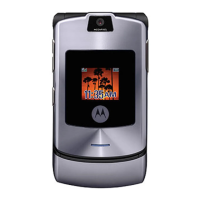
Your phone may not appear exactly as the phone
image above, however all key locations, sequences and
functions remain the same.
Power/End Key
Press & hold to
turn on/off the
phone.
Press & release to
end phone calls,
exit menu system.
Left Soft Key
Perform functions
identified by left
display prompt.
Antenna
Navigation Key
Scroll through
lists, set volume.
Send/Answer Key
Make & answer
calls. Press in idle
screen to see the
recently dialed
calls.
Power Connector Port
Insert charger.
Right Soft Key
Perform functions
identified by right
display prompt.
Ear Piece
Listen to your
voice calls &
messages.
Lanyard
Attachment
Microphone
Headset
Connector
Menu Key
Open a menu when
you see in the
display.
V171.book Page 1 Tuesday, January 4, 2005 10:32 AM


Table of Contents

Questions and Answers

  • M
    Melissa AndrewsAug 19, 2025
    How to unlock Motorola Cordless Telephone if it asks for unlock code?
    • R
      Robert GriffinAug 19, 2025
      To unlock your Motorola Cordless Telephone, enter the default unlock code, which is either 0000 or the last 4 digits of your phone number. If you previously changed the default unlock code, enter the custom code you set.
  • A
    Amy StuartAug 21, 2025
    How to extend battery life on Motorola V171 - MANUAL 2?
    • A
      Allen WallaceAug 22, 2025
      To extend the battery life of your Motorola Cordless Telephone, consider that your battery's performance is affected by charge time, feature use, temperature changes, and other factors. You may also select Battery Save to help maximise the amount of time that your battery will last between charges, see “Setting Battery Save” on page 33.
  • C
    cdurhamAug 23, 2025
    What to do if I cannot hear others on my Motorola V171 - MANUAL 2?
    • K
      Katrina Davis MDAug 23, 2025
      If you cannot hear others on your Motorola Cordless Telephone, adjust the volume during a call by using the scroll to either the right (to increase) or to the left (to decrease) the phone volume in the earpiece. Also, ensure that the phone's earpiece isn't blocked by its carrying case.
  • J
    Jacqueline ByrdAug 26, 2025
    Why can't I make or answer calls on my Motorola V171 - MANUAL 2?
    • A
      andersonmichaelAug 26, 2025
      If you are unable to make or answer calls on your Motorola Cordless Telephone, ensure you have a phone signal. Try to avoid obstructions like bridges, parking garages, or tall buildings, as these can interfere with the signal. Also, your phone may have the Call Barring feature turned on. If you know the unlock code, you can change this setting in the security menu by going to Settings, then Security. Finally, make sure your SIM card is properly inserted and working correctly.
  • C
    Christina WarrenAug 28, 2025
    Why does my Motorola Cordless Telephone have poor reception and drop calls?
    • J
      jasongutierrezAug 28, 2025
      If your Motorola Cordless Telephone has poor reception and drops calls, make sure you have a phone signal. Stay clear of obstructions such as bridges, parking garages, or tall buildings.
  • R
    Ricardo HowardAug 30, 2025
    How to fix a frozen Motorola V171 - MANUAL 2 Cordless Telephone?
    • M
      martinjoseAug 30, 2025
      If your Motorola Cordless Telephone is stuck and none of the buttons respond, you may need to reset it. To do this without changing your current defaults, remove the replaceable battery and then re-insert it. This should reset the phone, allowing you to power it back on and use it again.
  • E
    eblackburnSep 1, 2025
    Why does my Motorola V171 - MANUAL 2 Cordless Telephone ring on silent mode?
    • J
      Jennifer DiazSep 1, 2025
      If your Motorola Cordless Telephone rings even when the silent or vibrate alert profile is selected, the ringer may be set to play a tone regardless of the alert profile.
  • W
    Wendy BaileySep 3, 2025
    What to do if my Motorola V171 - MANUAL 2 asks for unlock code to open a feature?
    • C
      Christopher RossSep 3, 2025
      If your Motorola Cordless Telephone asks for an unlock code when you try to open a feature, it means the application you are trying to access is locked. If you own the phone but do not know the unlock code, see “Changing Your Unlock Code” on page 87.
  • T
    Tracy GarciaSep 5, 2025
    Why do I hear alternating high/low tone when placing a call on my Motorola V171 - MANUAL 2 Cordless Telephone?
    • C
      christopher20Sep 5, 2025
      If you hear an alternating high/low tone when trying to place a call on your Motorola Cordless Telephone, your call did not reach the wireless system. This may happen if you dialed the number too soon after turning the phone on. Wait until the display shows the name of your service provider before making a call.
  • C
    Christopher PetersSep 8, 2025
    How to unblock SIM card on Motorola V171 - MANUAL 2?
    • A
      Angela NortonSep 8, 2025
      To unblock the SIM card on your Motorola Cordless Telephone when the display says 'SIM Blocked,' you need to call your service provider to obtain the PIN unblocking code.

Summary

Settings Menu Configuration

Call Setup, Security, and Personalisation

Covers call diversion, security, personalization options, and initial setup.

Safety and General Information

RF Energy Exposure and Operational Precautions

Advises on safe use related to radio frequency energy and general operational precautions.

Antenna Care, Phone Operation, and Body-Worn Use

Provides guidance on antenna care, phone handling during calls, and body-worn operation.

Data Operation, Accessories, and Interference

Discusses data operation distance, approved accessories, and RF energy interference.

Aircraft, Medical, and Hearing Aid Precautions

Addresses phone usage restrictions on aircraft and interference with medical/hearing devices.

Driving Safety and Air Bag Warnings

Details precautions for using the phone while driving and warnings regarding placement near air bags.

Explosive Atmospheres and Blasting Areas

Instructs on phone usage in potentially explosive atmospheres and near blasting operations.

Battery Safety and Symbol Definitions

Outlines safety precautions for handling batteries and explains associated warning symbols.

Seizures and Blackouts Precautions

Warns about photosensitive seizures from blinking lights and advises precautions.

Repetitive Motion Injury Prevention

Provides instructions to avoid discomfort from repetitive motion during game use.

Getting Started with Your Phone

SIM Card and Battery Installation

Guides on how to change the SIM card and battery for the phone.

Phone Charging and Powering On;Off

Explains how to charge the phone's battery and the procedure for turning the phone on and off.

Setting Up Your Phone

Time, Date, Greetings, and Alert Tones

Guides on setting time, date, greetings, and customizing alert profiles.

Calling Features

Redialling Numbers and Caller ID

Covers redialing numbers and using the Caller ID feature to identify incoming calls.

Terminating Calls and Emergency Dialling

Explains ending incoming calls and dialing emergency numbers, even when locked.

Phonebook Management

Getting More Out of Your Phone

Personal Organiser Features

Alarm Clock Functionality

Covers creating, editing, enabling, and disabling alarm clock profiles for reminders.

Security Features

Locking and Unlocking Your Phone

Guides on manually and automatically locking the phone, and the process for unlocking it.

Automatic Phone Lock and Unlocking

Explains setting automatic lock and the procedure for unlocking the phone.

Changing Unlock and Security Codes

Explains how to change the phone's unlock code and security code.

Forgotten Code Procedures

Provides steps to take if the unlock code or other security codes are forgotten.

Protecting the SIM Card with PIN

Details activating and using the SIM PIN feature to protect SIM card information.

Troubleshooting Common Phone Issues

Basic Troubleshooting Checks

Provides initial checks for common phone issues like battery and SIM card.

SIM Card Insertion and Recognition Issues

Addresses problems related to SIM card insertion and recognition.

Signal Strength, Volume, and Microphone Issues

Covers signal strength, volume, and microphone problems, and phone damage.

Ringtone, Call, and Password Issues

Solves issues with ringtones, call placement, and forgotten passwords.

SIM Errors, Unlock Codes, and Feature Access

Addresses SIM errors, unlocking the phone, and feature access issues.

Ringer Profiles, Call Tones, and Interference

Solves ringer/call tone problems and issues related to interference.

Reception, Volume, and Inbox Access Issues

Addresses poor reception, volume problems, and inbox access issues.

Dialling Commands and Display Brightness

Solves dialling command issues and guides on adjusting display brightness.

Battery Life Extension and Phone Stuck Issues

Offers tips to extend battery life and provides solutions for a frozen phone.

Motorola V171 - MANUAL 2 Specifications

General IconGeneral
Frequency2.4 GHz
Caller IDYes
Call WaitingYes
Handset SpeakerphoneNo
IntercomNo
Number of Handsets1
ExpandableNo
Answering MachineNo
TypeCordless
Battery LifeUp to 7 hours talk time
DisplayLCD

Related product manuals