
 Need help?
Do you have a question about the Motorola Verve RIDER and is the answer not in the manual?
Illustration showing how to properly wear the wireless earbuds.
Explanation of different status light indicators and their meanings.
 General
| Cables included | USB |
|---|---|
| Quick start guide | Yes |
| Standby time | 720 h |
| Continuous audio playback time | 12 h |
| Headset type | Binaural |
| Product type | Headset |
| Product color | Black |
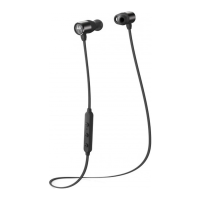
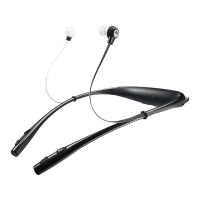
| Wearing style | In-ear, Neck-band |
| Operating keys | PTT, Track \u003C, Track >, Volume +, Volume - |
| Volume control | Digital |
| Recommended usage | Calls/Music |
| Wireless range | 45 m |
| Bluetooth version | 4.1 |
| Bluetooth profiles | A2DP, APT-X, AVCTP, GAVDP, HFP, HSP |
| Connectivity technology | Wireless |
| Package width | 177 mm |
| Package height | 228 mm |
| Ear coupling | Intraaural |
| Depth (imperial) | 1.3 \ |
| Width (imperial) | 7.72 \ |
| Height (imperial) | 5.94 \ |
| Weight (imperial) | 0.09 lbs |
| Box depth (imperial) | 9.6 \ |
| Box width (imperial) | 7.8 \ |
| Box height (imperial) | 9.2 \ |
| Gross weight (imperial) | 2.9 lbs |
| Number of products included | 1 pc(s) |
| Microphone type | Built-in |
 Weight and Dimensions
| Depth | 151 mm |
|---|---|
| Width | 196 mm |
| Height | 33 mm |
| Weight | 40 g |







 To Next Page