
 Need help?
Do you have a question about the Motorola VERVEBUDS 300 and is the answer not in the manual?
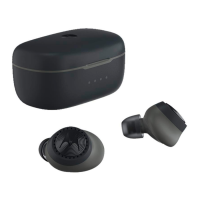
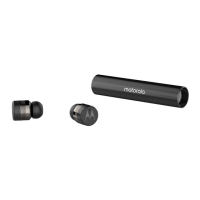
Place both earbuds in the charging case and remove them.
Choose 'Vervebuds 300' from your smartphone's Bluetooth settings.
Insert the Vervebuds into your ear and rotate for a comfortable fit.
Try different earbud sizes for optimal fit and audio experience.
Place buds in case, remove left bud. Indicator flashes blue & red.
Select 'Vervebuds 300(L)' from the Bluetooth menu.
 General
| Product type | Headset |
|---|---|
| Product color | Black |
| Wearing style | In-ear |
| Recommended usage | Calls/Music |
| Works with the Google Assistant | Yes |
| International Protection (IP) code | IPX6 |
| 3.5 mm connector | No |
| Bluetooth version | 5.0 |
| Connectivity technology | Wireless |
| Impedance | - Ω |
| Driver unit | 6 mm |
| Ear coupling | Intraaural |
| Headphone frequency | - Hz |
| Microphone type | Built-in |
| Battery type | Built-in battery |
| Continuous audio playback time (with charging case) | 10 h |
| Quantity | 2 |






 To Next Page