EasyManua.ls Logo

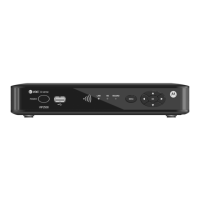
Motorola VIP2502W - User Manual

Motorola VIP2502W
20 pages
Print Icon
To Next Page IconTo Next Page
Loading...
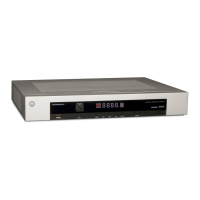
VIP2502W
Wireless IPTV Receiver
Installation Guide

Questions and Answers

  • A
    Amanda StrongAug 11, 2025
    Why is there no audio when viewing TV channels on my Motorola VIP2502W TV Receiver?
    • S
      Sarah HesterAug 11, 2025
      If you're not hearing any sound while watching TV channels, first check if the Mute button on your Motorola TV Receiver remote was accidentally pressed. Press it again to restore the sound. If your receiver is connected to the TV, make sure the TV's Mute button isn't activated either. If you're using a home theater receiver, ensure it's set to the correct input source and that its Mute button is off. Also, double-check that you're using the right cables for the audio ports and that they are securely connected between the receiver and your TV or home theater receiver.
  • K
    Kimberly GonzalesAug 19, 2025
    What to do if the Motorola TV Receiver remote control does not work?
    • A
      Amanda JonesSep 12, 2025
      If your Motorola TV Receiver remote isn't working, ensure the TV is powered on. Verify the remote is in STB mode. Make sure there are no obstacles blocking the path between the remote and the receiver. Aim the remote directly at the front panel of the receiver, not the TV. Ensure you're close enough and not at too wide of an angle. Press the buttons firmly and one at a time. Try changing channels using the buttons on the receiver itself. Finally, check and replace the remote batteries if needed.
  • A
    Alexandra KennedyAug 27, 2025
    How to fix no audio from center/surround speakers on Motorola TV Receiver?
    • R
      richardmartinezAug 27, 2025
      If you're not getting audio from the center or surround speakers connected to your Motorola TV Receiver, remember that not all Dolby Digital programs have full 5.1 surround sound; some may only have stereo audio. Ensure the Optical S/PDIF cable is securely connected between the receiver and your home theater receiver. Check that your home theater receiver is set to a surround sound mode like Dolby Digital, Dolby Pro Logic® II, or Dolby Pro Logic. Also, confirm that your home theater receiver is properly configured to work with all connected speakers.
  • N
    Nathan AllenSep 2, 2025
    How to troubleshoot Motorola TV Receiver that will not power on?
    • A
      Alex WatkinsSep 2, 2025
      To troubleshoot a Motorola wireless TV receiver that won't power on: First, check that the power adapter is properly connected to both the receiver and a working AC outlet. Try unplugging the receiver, then plugging it back in before pressing the POWER button. If the receiver is connected to a switched outlet, ensure the switch is on. Unplug the receiver from the AC outlet, plug it back in, and press the POWER button. Try pressing the POWER button on the receiver's front panel instead of using the remote. Lastly, the remote batteries might be dead.

Motorola VIP2502W Specifications

General IconGeneral
Video OutputHDMI, Component, Composite
ConnectivityEthernet, Wi-Fi
USB PortYes
MoCA SupportYes
Audio OutputHDMI
Supported Resolutions1080p, 1080i, 720p, 480p, 480i
TunerQAM

Related product manuals