11
Getting Started
2.3
. Desktop Stand of the Parent Unit
• When the battery is low, the battery icon
turns RED, and the
Parent Unit will beep every 15 seconds. The battery needs to be
recharged; it will take16 hours to charge fully.
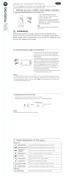
• Flip out the stand on the back of the Parent Unit
• Recommend to rotate it by 90 degree to set up the desktop stand.
Step 1Step 2
Reset button



 To Next Page
 Loading...