3
Important Notes:
• When charging the batteries for the first time, charge for at least 16
hours continuously.
• Be aware that this Digital Video Baby Monitor is only intended as an aid.
It is not a substitute for responsible and proper adult supervision.
1. Welcome
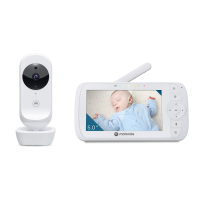
This booklet provides you the quick start information of your VM75.
For a full explanation of all features, download the user guide from
motorolanursery.com.
2. Contents inside the box
• Baby unit
• Parent unit (with built-in Lithium battery)
• Power adaptors x 2
• Quick Start Guide
In multi-camera packs, you will find one or more additional baby units with
power adapter units.
3. At a glance
3.1 Baby unit
EN
1
4
2
3
5
6
8
7
1. Camera Lens
2. Microphone
3. Power indicator
Lights up in blue when the Baby
Unit is switched on and linked to
the Parent Unit.
Automatically O during night
mode.
4. Light Sensor (Night Vision Mode)
5. Pairing Key
Press and hold to pair with the
Parent Unit.
6. Power Adapter Socket
7. Temperature Sensor
8. Power ON/OFF switch
Slide to switch the Baby Unit on
or o.


 To Next Page
 Loading...