Need help?
Do you have a question about the Moultrie MFG-13265 and is the answer not in the manual?
Details the operation and shock mechanism of the electric varmint guard.
Instructions for setting the current time on the feeder.
Guide for selecting the current day of the week.
Procedure to set the estimated amount of feed in the feeder.
Steps to configure specific feed times and durations.
How to enable or disable specific days for feeding schedules.
Instructions for setting the duration of feeder runs.
Guide to selecting the desired motor speed setting.
Procedure for performing a test feed cycle.
Important safety instruction to turn off the varmint guard and disconnect the battery.
Step-by-step guide for adjusting the funnel height using screws and positioning.
Instructions for assembling the quick-lock adapter onto 55 or 30-gallon barrels.
Steps for assembling the 30-gallon quick lock hopper, including legs and lid.
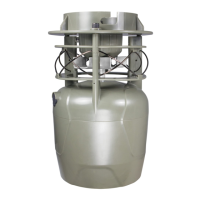
This document describes the Moultrie NXT Hunter Feeder Kit, a device designed to automate the feeding of game. The kit includes components for assembling the feeder and provides detailed instructions for its setup, operation, and maintenance. The feeder is designed to be user-friendly, offering various programmable settings to customize the feeding schedule and duration.
The primary function of the Moultrie NXT Hunter Feeder Kit is to dispense feed automatically at predetermined times. This automation helps in establishing a consistent feeding pattern for game, which can be beneficial for wildlife management and hunting purposes. The feeder is equipped with a digital timer that allows users to set up to 10 feed times per day, with each feed time having a duration ranging from 1 to 20 seconds. This flexibility enables precise control over the amount of feed dispensed, preventing overfeeding or underfeeding.
One of the key usage features of the Moultrie NXT Hunter Feeder Kit is its programmable timer. The timer allows for setting the current time and date, which is crucial for accurate scheduling. Users can set up to 10 daily feed times, specifying the exact hour and minute for each. The duration of each feed event can also be adjusted, giving users fine-tuned control over the feed quantity. Additionally, the feeder offers a "Set Est. Feed Remaining" feature, which helps in estimating the amount of feed left in the hopper. This feature prompts users to enter the amount of feed they have in the feeder, and the system then calculates the remaining feed based on the programmed feed times and durations. This helps users plan refills and ensures the feeder does not run out of feed unexpectedly.
Another important usage feature is the "Set Feed Time" function, which allows users to program individual feed times. For each feed time, users can set the hour, minute, and duration. The duration can be set from 1 to 20 seconds, providing a wide range of dispensing options. The feeder also includes a "Set Day of the Week" feature, enabling users to specify on which days of the week the programmed feed times should be active. This allows for customized feeding schedules that can vary throughout the week, accommodating different needs or patterns. For instance, users can disable feeding on specific days if desired.
The "Set Run Duration" feature allows users to test the feeder's operation. By pressing the "Run Duration" button, the feeder will dispense feed for a set period, allowing users to verify that the motor is functioning correctly and that feed is being dispensed as expected. This is a useful diagnostic tool to ensure the feeder is working properly before leaving it unattended. The "Set Motor Speed" feature allows users to adjust the speed of the feeder motor. This can be useful for optimizing feed distribution, especially when using different types of feed or in varying environmental conditions. Users can select from different motor speed settings to achieve the desired spread pattern.
The Moultrie NXT Hunter Feeder Kit also incorporates a "Test Feed" feature, which allows users to manually trigger a feed event. This is useful for checking the feeder's functionality or for dispensing a small amount of feed on demand. The "Test Duration" feature is similar but allows users to test the feeder for a specified duration, providing a more comprehensive test of the dispensing mechanism. This feature is particularly helpful after making changes to the settings or after refilling the hopper, ensuring everything is in working order.
Maintenance features are also integrated into the design. The feeder is equipped with a varmint guard, which is a critical component for protecting the feed from unwanted animals. The manual emphasizes the importance of ensuring the varmint guard is properly installed and secured to prevent tampering. The guard is designed to be robust, with wires that are either positive and the other is negative, and when both wires are touched, the circuit is completed, creating a shock. This mechanism deters varmints from accessing the feed. The manual also provides instructions for adjusting the funnel height, which can be important for optimizing feed flow and preventing clogging. This adjustment involves loosening screws, repositioning the funnel, and then re-tightening the screws.
The assembly process of the Moultrie NXT Hunter Feeder Kit is designed to be straightforward. The kit includes a Quick-Lock Adapter, which facilitates easy installation and removal of the feeder components. The manual provides detailed steps for assembling the hopper, including attaching the angled leg brackets, inserting the leg sections, and securing the hopper bottom. It also highlights the importance of properly securing the bolt, lock washer, and wingnut to prevent feed leakage. The Quick-Lock Adapter is a key feature that simplifies the attachment of the feeder kit to a standard 55-gallon or 30-gallon barrel, making it versatile for different barrel sizes.
The manual also includes important safety warnings, such as the need to keep hands clear of the feeder when it is operating to avoid injury. It also advises against over-tightening screws during assembly to prevent damage to the components. The device is designed to be robust and durable, capable of holding a significant amount of feed, with a recommendation not to exceed 200 lbs of feed. This ensures the structural integrity of the feeder and prevents potential damage from overloading.
In summary, the Moultrie NXT Hunter Feeder Kit is a comprehensive solution for automated game feeding. Its extensive programmable features, including multiple daily feed times, adjustable durations, and day-of-the-week scheduling, offer unparalleled control over the feeding process. The integrated varmint guard and easy assembly with the Quick-Lock Adapter enhance its usability and durability. Regular testing and adherence to the assembly instructions ensure optimal performance and longevity of the feeder.
 General
| Power Source | Battery Powered |
|---|---|
| Category | Trail Camera |
| Megapixels | 12 MP |
| Flash Type | Infrared |
| Battery Type | AA |
| Video Resolution | 720p |
| Detection Range | 50 ft |
| Memory Card Type | SD |

 To Next Page