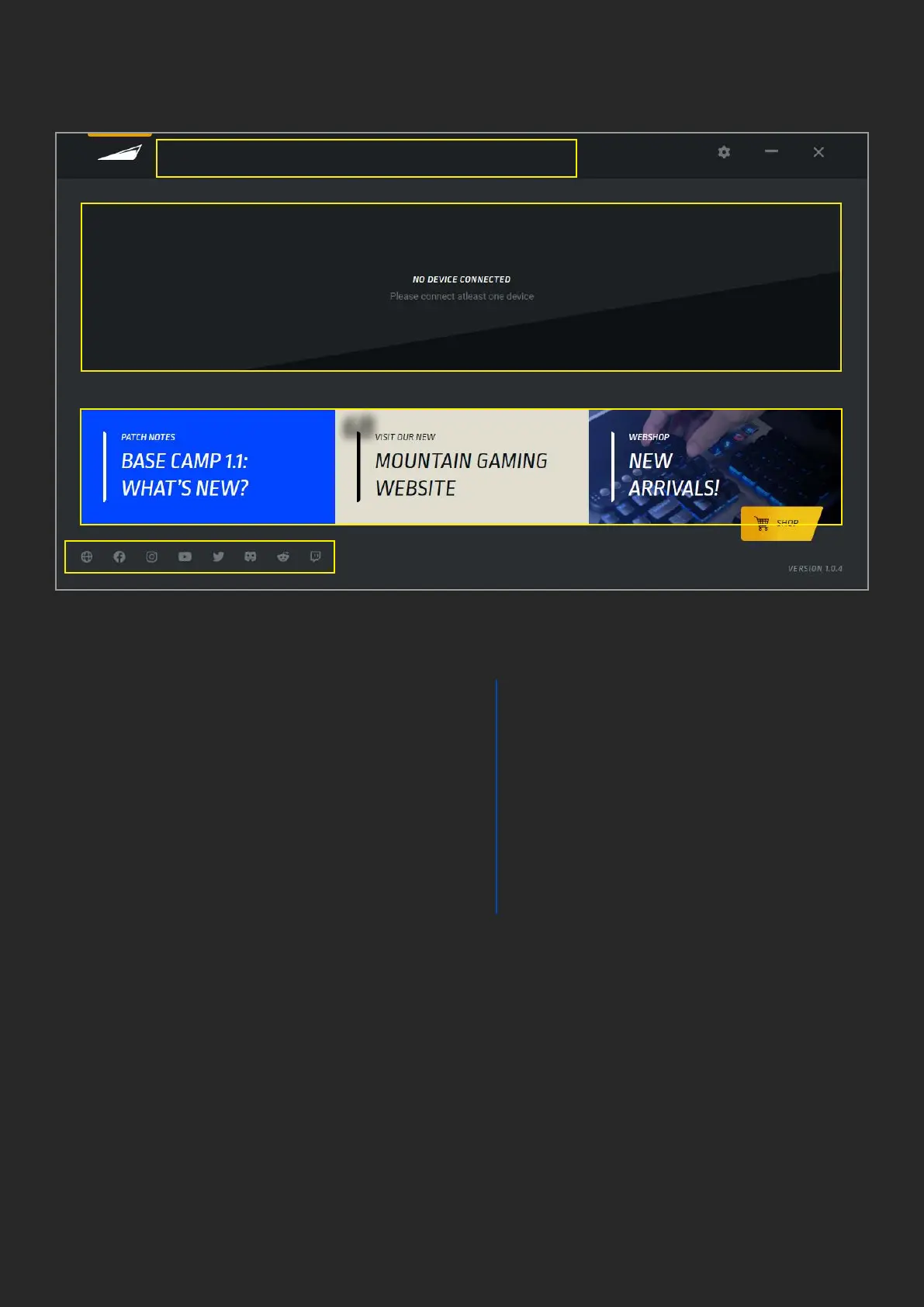
1. MAIN PAGE
1. Main menu button (Mountain logo), this
button can be clicked at any time to return
to the home screen
Note: the yellow highlight above the Mountain
logo as shown in above screenshot highlights
the currently active page.
2. Current Base Camp Software version,
updates can be performed through settings
menu (see paragraph 2)
3. Selecting the Mountain product you wish
to congure
4. Software Settings button (see this guide
paragraph 2)
5. Press – to minimize Base Camp and send
it to system tray, X to close it
6. These buttons will lead you to:
a. Our support page including
manuals, FAQ, guides and contact
information.
b. Our website https://mountain.gg
c. Our store
https://mountainggshop.com that
carries not only Mountain
products but carefully
selected accessories
and upgrades for all your keyboard
needs
7. Links to our social channels
1 3B
3A
6A
6B 6C
2
7
4
5


 To Next Page
 Loading...