35
6
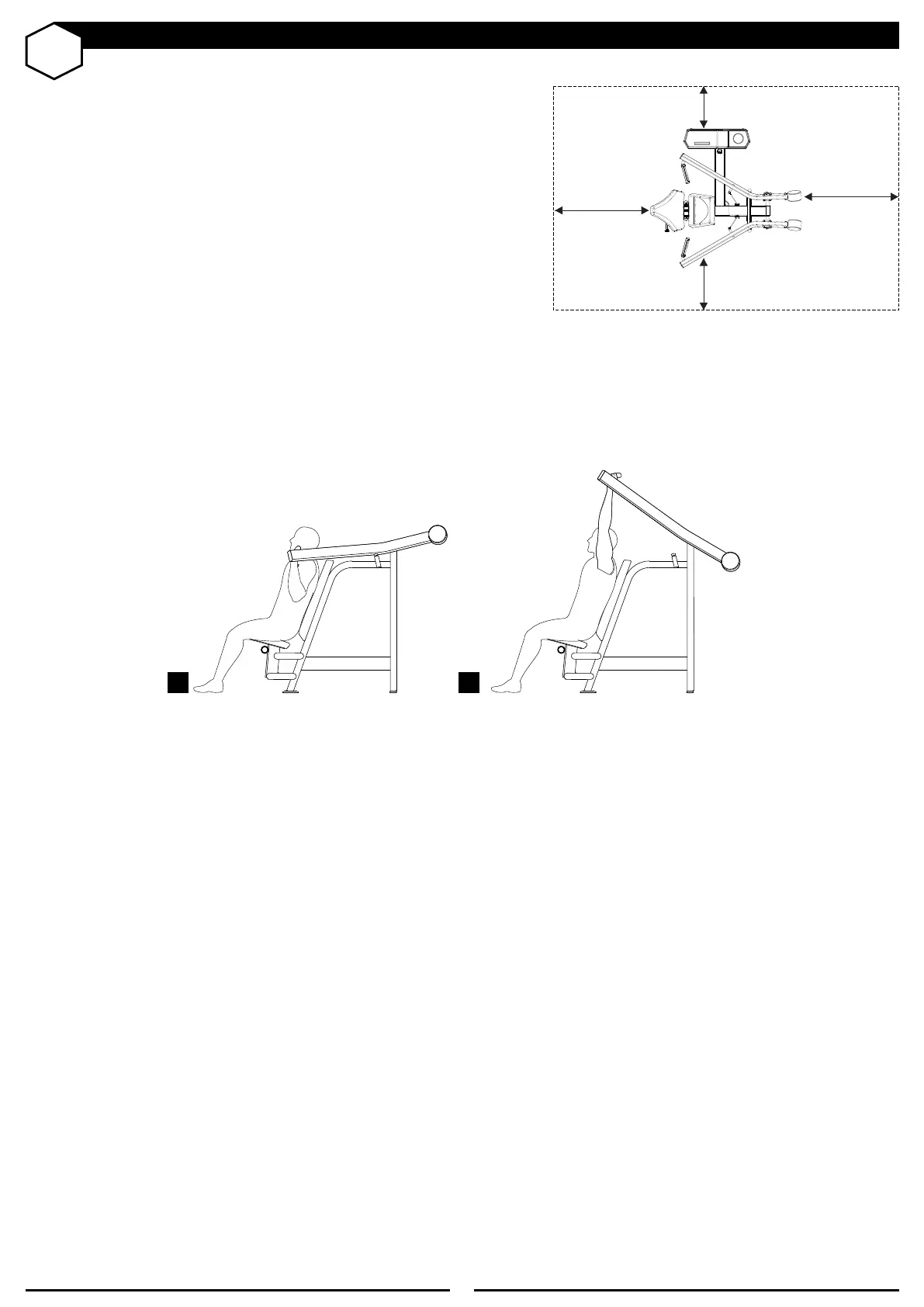
HOW TO USE EQUIPMENT
1 - Position your equipmenet;
2 - Adjust seat position;
3 - Select the load using the selector pin;
4 - Hold handles to stabilize the body during exercise;
5 - Start he training.
OPERATIONAL INSTRUCTION
SPACE
We recommend that for the safety of the users the equipment be used in an area
that is not frequently used based on the figure to the side. The access and escape
area can be common among the equipments used. The space is valid for all
equipment.
1 m
1 m
60 cm
60 cm
1 2



 To Next Page