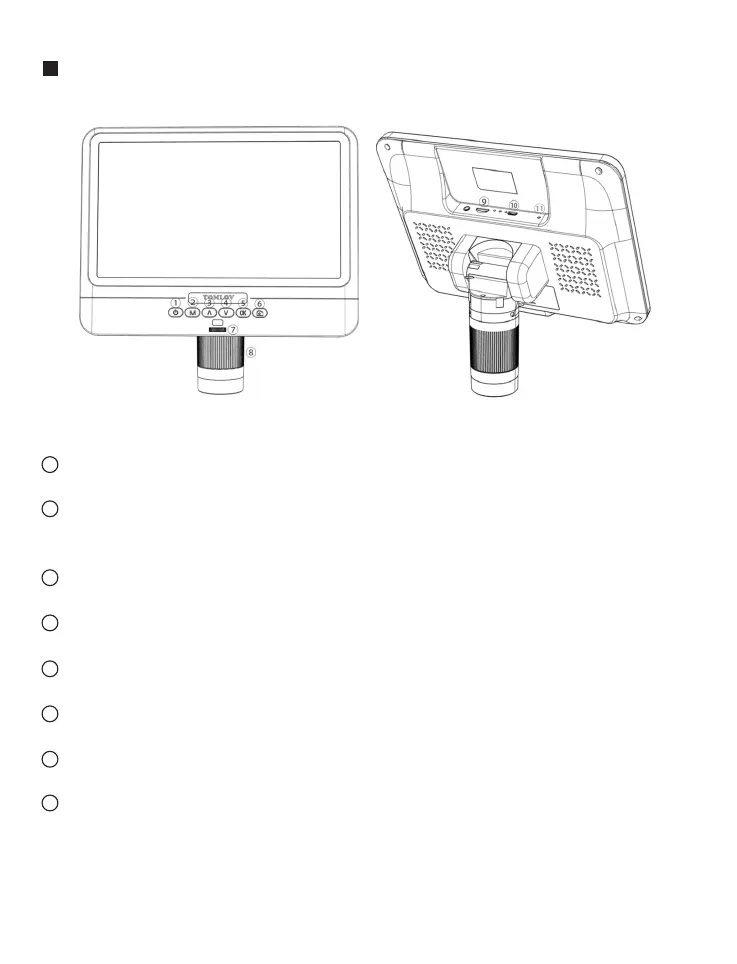
Buttons Description
(Pic.4 buttons)
Power on/off: Press the button for 2 seconds to turn on/off.
Mode/menu: Short press to switch modes between photo capturing,
video recording and files review modes. Long press to enter the menu.
Up: Up selection.
Down: Down selection.
OK: Start/end recording video. Confirm the selection.
Take photos
Light controller: Adjust the LED lights around the camera.
Focus controller: There is a fixing ring on the focus controller, the
function of which is to protect the camera/focus controller from being
hurt by the screw. Also, there is a little damping oil on the controller in
order to better protect the lens, non-toxic and environmentally-friendly.
1
2
3
4
5
6
7
8
4
Email: support@moysuweus.com



 To Next Page