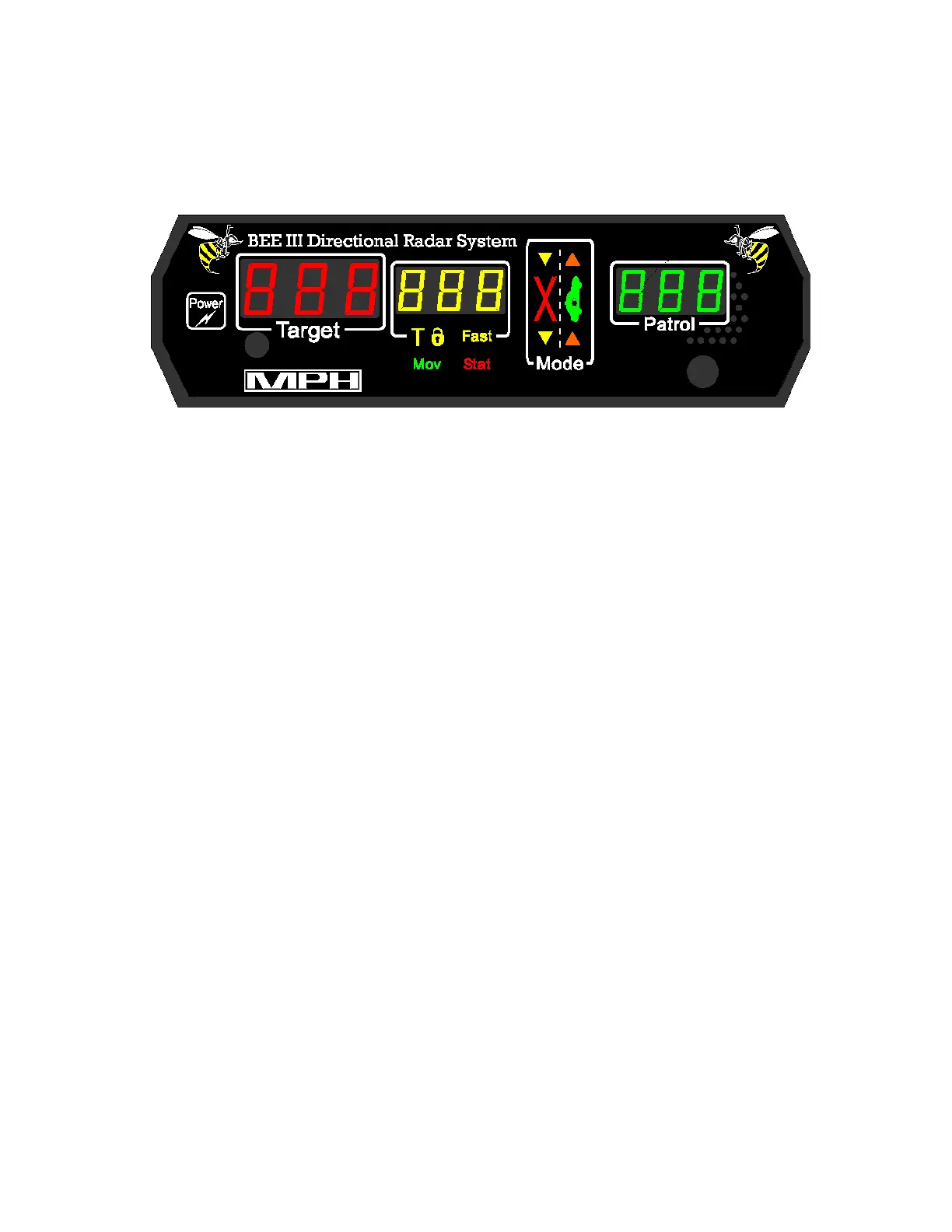
BEE III Display
The BEE III utilizes a high contrast LED display with automatic dimming.
Mode
The mode section is structured like a roadway and offers operators a pictorial view of the
radar’s functions. A large red “X” icon in the left lane informs operators that the
transmitter is in standby (off). A large green car in the right lane indicates that the
transmitter is active (on).
The operating mode of the BEE III is illustrated with the scene of a patrol car and selected
targets. In opposite direction moving mode, the scene shows an arrow in the left lane of
traffic; it is ahead of the patrol car if the front antenna had been selected and behind the
patrol car if the rear antenna was selected. In same direction moving mode, the arrows are
shown moving in the same direction as the patrol car. Moving mode is indicated by “Mov”
which appears below the middle speed display window.
In stationary mode, the mode window works similarly. Indicator arrows appear in front or
behind the patrol vehicle icon to indicate the selected antenna. In the opposite direction the
scene shows an arrow in the left lane of traffic. If the same lane of traffic is selected the
arrow in the right lane is lit. If both directions of traffic are selected, arrows in both lanes
will be illuminated. Stationary mode is indicated by “Sta” which appears below the middle
speed display window.
Speed windows
The BEE III has three windows for speed display. They are arranged by function and are
identified by the colors red, yellow and green.
The left most display is a dedicated red TARGET window. This window always displays the
strongest target’s speed, even in fastest mode. Radio frequency error conditions (rFi) are
displayed in this window.
6



 To Next Page