The sector repeat startin
the MENU button shortly while
playing files. The sector repeat ending point (B) is set if pressing the MENU button shortly
again at the ending point of the sector to repeat, and the A B sector is played repeatedly.
Recordin
the Menu button after selectin
HIGH (high quality). Recording temporarily stops if pressing the button shortly
while recording, and Pause function is released and recording is done if pressing it
shortl
ain.
Function of the MENU button operates as the
sector repeat function of files being played while
the A B sector repeat function turns ON.
For your reference, music information and time
appear sequentially if pressing the MENU button
shortly when the A B sector repeat function turns OFF.
(For further information, see page 11.)
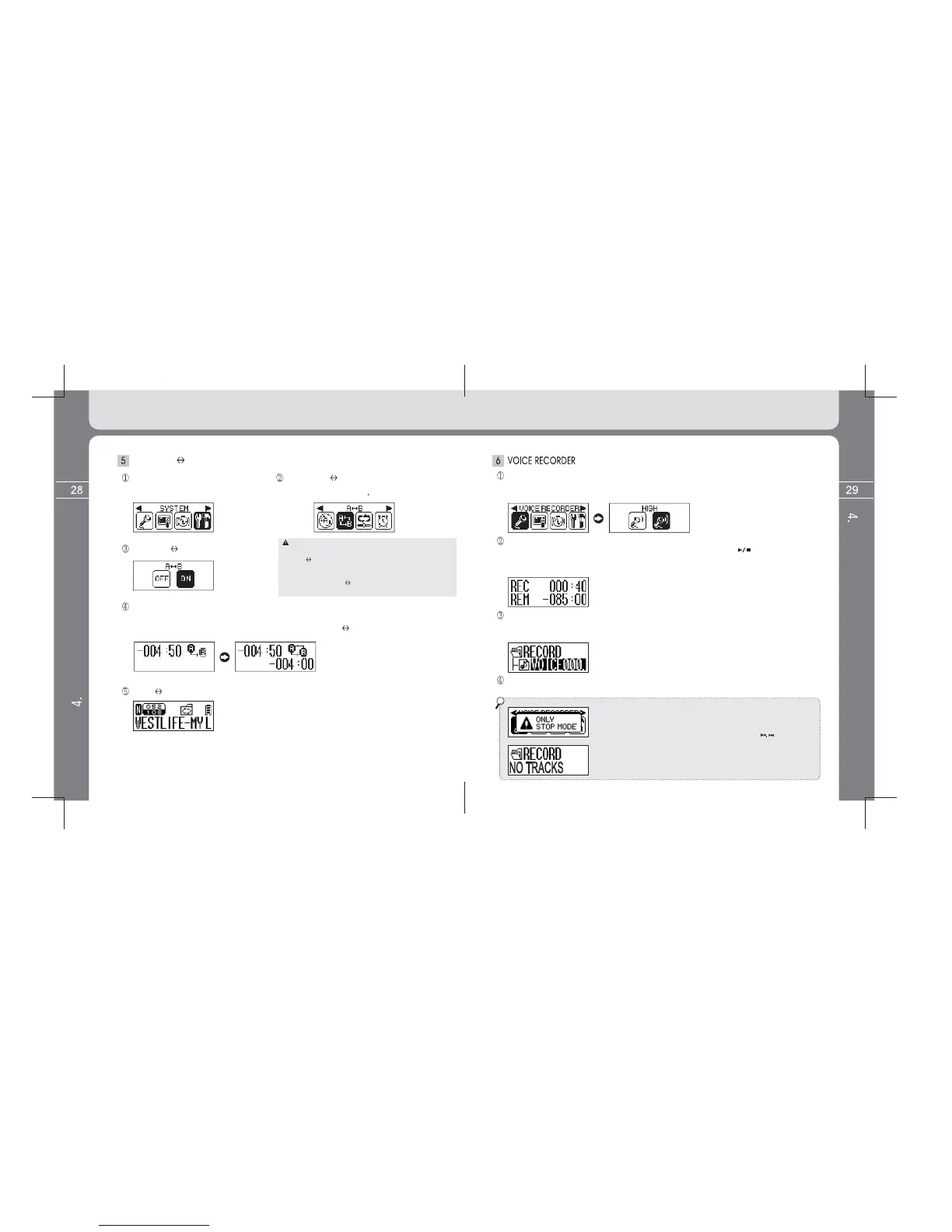
Change A B to ON from OFF.
Select the A B icon after entering into the
sub menu by pressing the MENU button shortly.
Setup of A B sector repeat function (Usefully used for foreign language study)
Select the SYSTEM icon after entering
into the MENU screen by pressing
and holding the MENU button.
The A B sector repeat point is released if pressing the MENU button shortly once again.
Select the VOICE RECORDER icon after entering into the MENU screen by pressing and
holding the MENU button. Select a desired recording quality after entering into the sub
menu by pressing the MENU button shortly.
* LOW recordin
is ended and saved in the RECORD Folder if pressin
the MENU button
while recordin
file is saved in the RECORD Folder in the form o
...
.
Search and select voice recording file in the RECORD Folder for playing by list search in
NAVIGATION function or Pause status.
* 'ONLY STOP MODE’ popup message as left image appears and no
recording is done if entering into recording function while playing music.
Stop music being played for recording.
The popup message window disappears if pressing the button.
* Where there is no voice recording file saved in the Record folder,
‘NO TRACKS’ message appears.
Detailed Information on Music Mode
Detailed Information on Music Mode


 To Next Page
 Loading...






