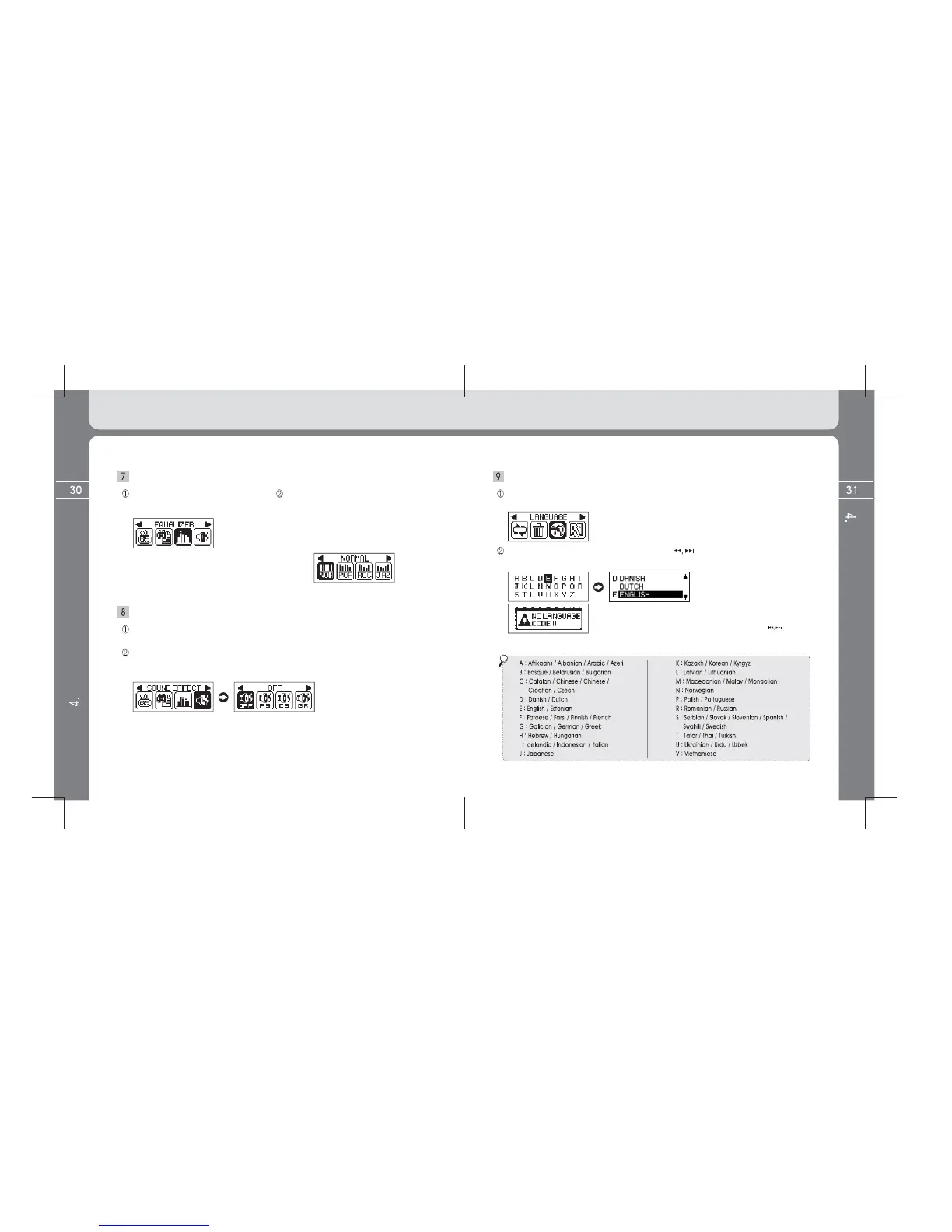
Setup EQUALIZER
Select the EQUALIZER icon after
entering into the MENU screen by
pressin
utton.
Set a desired PRESET EQ after entering into
the sub menu by pressing the MENU button.
(Composed of NORMAL / POP / ROCK /
JAZZ / CLASSIC / VOCAL)
Setup SOUND EFFECT
Select the SOUND EFFECT icon after entering into the MENU screen by pressing and
holding the MENU button.
Select a desired SOUND EFFECT icon after entering into the sub menu by pressing the
MENU button. (Composed of OFF / PURE STUDIO / CONCERT SOUND / GROOVE /
Setup LANGUAGE [ID3 TAG language]
Select the LANGUAGE icon after entering into the MENU screen by pressing and
holding the MENU button.
into the Menu
screen by pressing the MENU button shortly. Default ID3 TAG language is English.
(A popup message window appears as left image where there is no code
of language supported of A ~ Z alphabets when setting desired language.
The popup message window disappears if pressing the button.
55 ID3 TAG languages as below are supported.)
Detailed Information on Music Mode
Detailed Information on Music Mode



 To Next Page