4
Operation Instruction
Instruction for use
Free-air-ow
Before driving
Cleaning
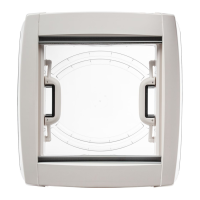
The rooight can be opened fully, or in four different directions, so
that the dome can be angled against driving weather conditions. To
open squeeze the locks (optional) into the handles and push open.
To open and close pull the ynet slightly into inner direction until
it slides beside the ynet click. Do not open more than 90°, to
avoid damaging the hinges. Do not over-bend as this may break
the ynet frame.
When closed there is a free airow through the rooight, which must
be kept free at all times (see technical data page 6-7).
Never close the openings of the free-air-ow.
IMPORTANT: All rooights must be closed and locked down before
travelling. (See picture 5-6)
Care Instructions
The rooight should only be washed by hand, using a sponge with
plenty of clean water to avoid scratching. Caustic detergents and
solvents may attack the plastic and make it brittle or disintegrate.
For easier cleaning of the dome it can be removed from the frame
by releasing the four screws holding the handle arms. (Models from
May 2010, Trox TK10 screws) (See picture 7)
Make sure that only the original screws are used when replacing
the dome and that they enter the thread in the plastic correctly. Do
not over-tighten
Never remove the screws holding the dome and the handles to-
gether (See picture 8). These are secured by a torque screwdriver
and should only be handled by an approved dealer.
Remove the ynet. The ynet is hanged in and it is removed by
rst opening fully and hanging out from the frame. Reverse the
process to install.
Attention: To avoid damage, do not bend the ynet frame. Clean
the ynet mesh only with clean water too.



 To Next Page