1.
INSTALLING THE MPMan-F50 MANAGER SOFTWARE
Before installation, check your system if it matches to the system requirements
described in the SYSTEM REQUIREMENTS in Chapter 1 and quit all
application software in use.
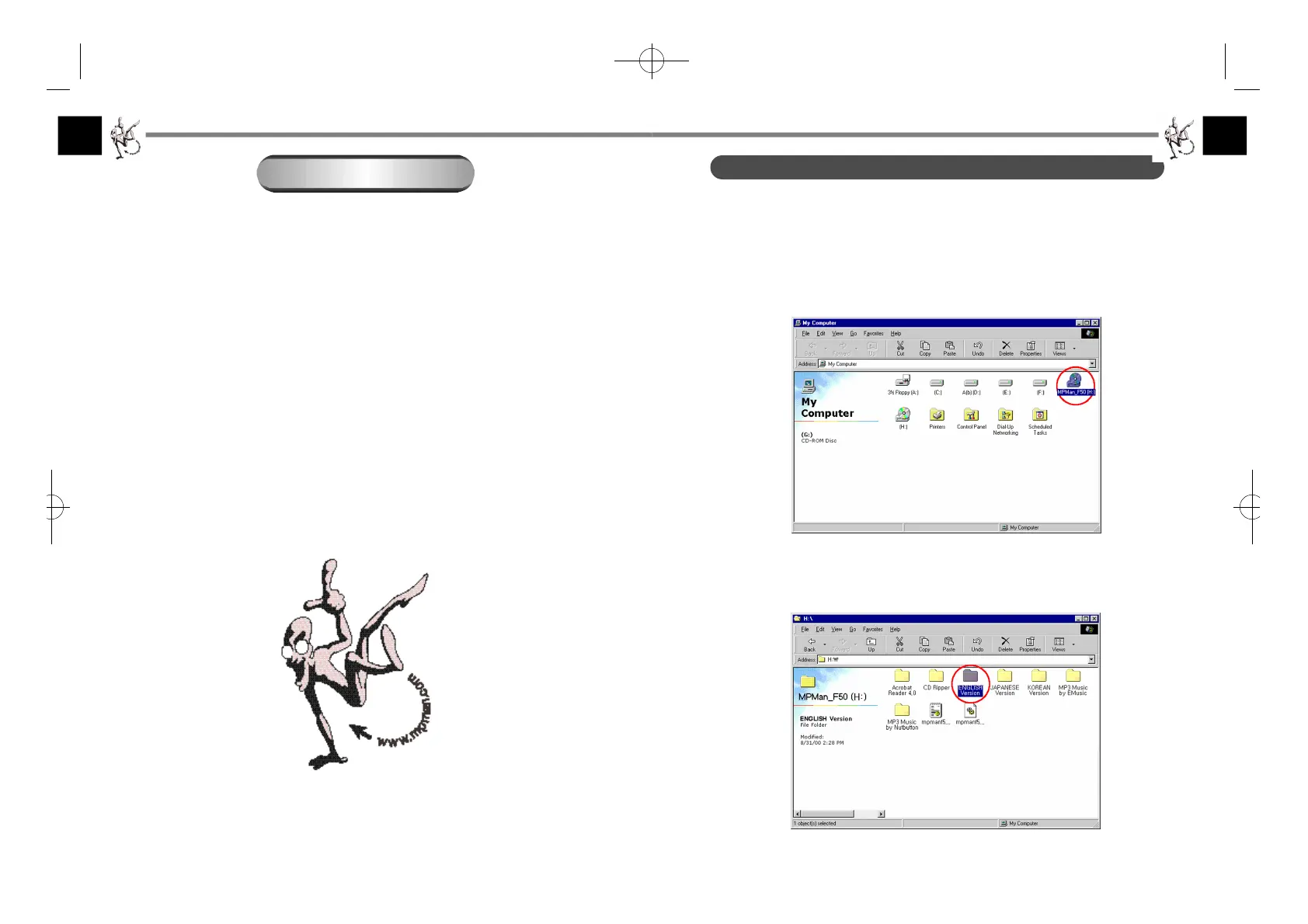
1. Insert the installation CD into your CD-ROM drive.
2. Double-click the CD-ROM driver icon to open it.
3. Double-click on the “ENGLISH Version” folder to open it.
Note: The “JAPANESE Version” folder is for the Japanese setup.
S O F T WARE INSTA L L AT I O N
The MPMan-F50 Manager is communication software that allows your
computer to share information with the player. In order for the player to
work properly, the MPMan-F50 Manager software must be installed
correctly under Windows 98 or Windows 2000.
1. INSTALLING THE MPMan-F50 MANAGER SOFTWARE
2. INSTALLING THE MPMan-F50 USB DRIVER
3. UNINSTALLING THE MPMan-F50 MANAGER SOFTWARE
CHAPTER 2
F-50øµπÆ* 00.12.26 5:48 PM ∆‰¿Ã¡ˆ10



 To Next Page