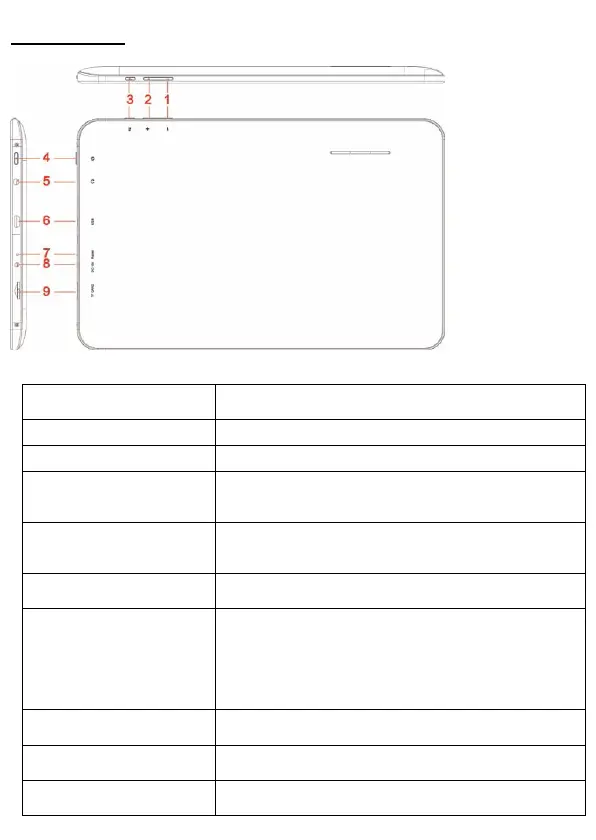
Tablet Part
Name function
Volume down Press the button to decrease the volume
Volume up Press the button to increase the volume
Return Exit from the current function/return to the
previous page
Power Keep pressed to turn on/off the tablet; shortly
press to activate standby
Earphone jack Connect earphone to this standard 3.5mm jack
USB OTG Port PC connection/peripheral connection through
OTG cable (for example keyboard, USB
device)/battery charge through the supplied
adaptor
Reset Tablet will force to shutdown
DC jack DC 5V power
Micro SD input Insert a micro SD card (up to 32GB)



 To Next Page