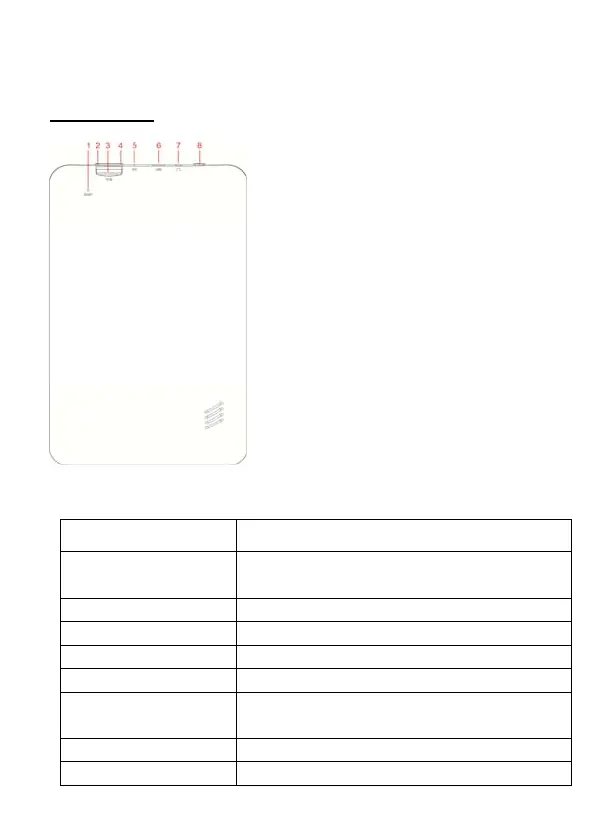
Tablet Part
Name function
1 Reset press RESET button,Tablet will force to
shutdown
2 Volume down Press the button to decrease the volume
3 Micro-SD slot Insert a micro SD card (up to 32GB)
4 Volume up
Press the button to increase the volume
5 MIC Recording Voice
6 USB & OTG Connect to PC / connect peripheral devices(e.g
keyboard, USB flash drive)
7 Earphone jack Connect earphone to this standard 3.5mm jack
8 Power Hold to turn the tablet on or off



 To Next Page