EN:
l.
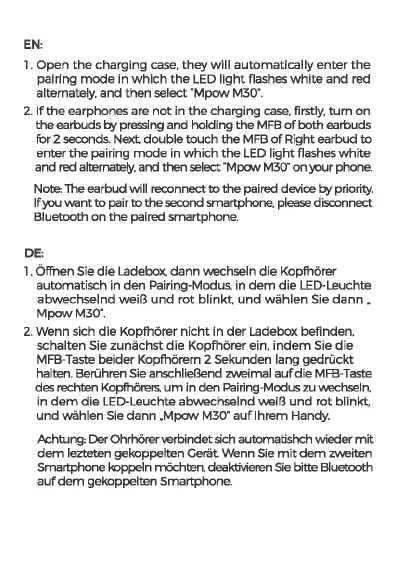
Open
the
charging
case.
they
will
automatically
enter
the
pairing
mode
in
which
the
LED
light
flashes
white
and
red
alternately.
and
then
select
"Mpow
M30".
2.
If
the
earphones are
not
in
the
charging
case.
firstly,
turn
on
the earbuds
l:7y
pressing and holding the
MFB
of
both earbuds
for 2 seconds.
Next
double
touch
the
MFB
of
Right earbud
to
enter
the
pairing
mode
in
which
the
LED
light
flashes
white
and red alternately, and then select "Mpow M30"
on
your phone.
Note: The earbud will reconnect
to
the
paired device
l:7y
priority.
If
you
want
to
pair
to
the
second smartphone, please disconnect
Bluetooth
on
the
paired smartphone.
DE:
l.
Offnen Sie
die
Ladebox.
dann
wechseln
die
Kopfhorer
automatisch in
den
Pairing-Modus. in
dem
die
LED-Leuchte
abwechselnd
weiB
und
rot
blinkt.
und
wahlen
Sie
dann.
MpowM30".
2.
Wenn
sich
die
Kopfhorer
nicht
in
der
Ladebox befinden.
schalten Sie
zunachst
die
Kopfhorer ein.
indem
Sie
die
MFB-Taste beider Kopfhorern 2 Sekunden lang
gedruckt
halten. Beruhren Sie anschlieBend zweimal
aufdie
MFB-Taste
des rechten Kopfhorers.
um
in den Pairing-Modus zu wechseln.
in
dem
die
LED-Leuchte abwechselnd weiB
und
rot blinkt,
und
wahlen Sie
dann
.Mpow
M30"
auflhrem
Handy.
Achtung: Der Ohrhorer verbindet sich automatishch wieder
mit
dem
lezteten gekoppelten
Geriit
Wenn Sie
mit
dem
zweiten
Smartphone koppeln mochtEn, deaktivieren
Sie
bittE Bluetooth
auf
dem
gekoppeltEn Smartphone.



 To Next Page