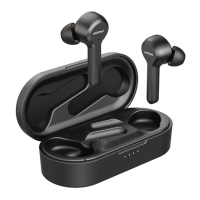
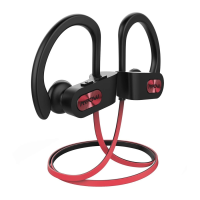
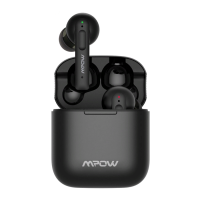
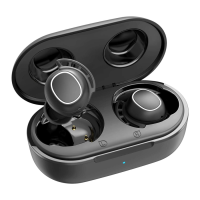
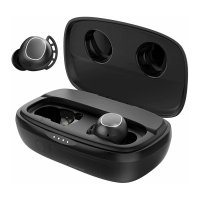
The Mpow Dash Sports Wireless Earphones (Model: BH367A) are designed for active users, offering a blend of audio quality, wireless convenience, and user-friendly controls. These earphones are specifically tailored for sports and active lifestyles, as indicated by their "Sports Wireless Earphones" designation.
Function Description:
The Mpow Dash earphones provide wireless audio playback and hands-free calling capabilities via Bluetooth connectivity. They are designed to deliver a comfortable and secure fit during physical activities. A key feature is the "Dual EQ" functionality, allowing users to switch between "Bass+" and "Well-balanced Sound" modes to suit their audio preferences. The earphones integrate a Multi-Function Button (MFB) for various controls, including power, pairing, call management, and voice assistant activation.
Important Technical Specifications:
- Model: BH367A
- Connectivity: Bluetooth wireless
- Charging Input: DC 5V
- Charging Time: Approximately 2 hours
- EQ Modes: Bass+ and Well-balanced Sound
- Controls: MFB for power, pairing, call management, Siri activation; dedicated volume/music control buttons.
- LED Indicators: Used for power status, pairing, and charging. Blue LED for power on/connected/fully charged, Red LED for power off/charging.
Usage Features:
- Power ON/OFF:
- Power On: Press and hold the MFB for 1-3 seconds. A blue LED will illuminate.
- Power Off: Press and hold the MFB for 5-7 seconds. A red LED will illuminate.
- Bluetooth Pairing:
- First Use:
- Turn on the Bluetooth function on your phone.
- Power on the earphones; they will automatically enter pairing mode. Red and blue lights will flash alternately, accompanied by the voice prompt "Pairing".
- Search for "Mpow Dash" in your device's Bluetooth list and select it. (Enter "0000" if a code is required).
- Upon successful pairing, the blue light will flash slowly, and you will hear "Connected".
- Pairing to Another Device:
- In the shut-down state, press and hold the MFB button for 5-7 seconds. Do not release until the red and blue lights start flashing alternately with the voice prompt "Pairing".
- Follow steps 1.3 and 1.4 above to connect to the new device.
- Audio and Call Control:
- Play/Pause/Answer/Hang Up: Click the MFB once.
- Activate Siri (or other voice assistant): Double-click the MFB.
- Reject Call: Hold the MFB for 1-2 seconds.
- Redial: Hold the MFB for 1-2 seconds (on the left earbud, as indicated by the diagram).
- Volume Control:
- Volume Up: Click the "+" button once (on the right earbud).
- Volume Down: Click the "-" button once (on the right earbud).
- Music Control:
- Next Track: Hold the "+" button for 1-2 seconds.
- Previous Track: Hold the "-" button for 1-2 seconds.
- Dual EQ Function: The earphones feature a "Dual EQ" setting, allowing users to toggle between "Bass+" for enhanced bass and "Well-balanced Sound" for a more neutral audio profile. The specific button or gesture for switching EQ modes is indicated by a finger tap icon on the diagram, suggesting a physical interaction with the earphone body.
- Package Contents: The product comes with the Mpow Dash earphones, multiple sizes of ear tips (S, M, L) and ear hooks (S, M, L) for a customized fit, a charging cable, a carrying case, a VIP card, and a user manual.
Maintenance Features:
- Charging:
- Connect the charging cable to the earphone's charging port and a DC 5V power source.
- During charging, the LED indicator will be red.
- Once fully charged (approximately 2 hours), the LED indicator will turn blue.
- Storage: If the earphones are not going to be used for a long period, fully charge them and store them in a cool, dry place. Recharge them every 2 months to maintain battery health.
- Disposal: The product is marked with the Waste Electrical & Electronic Equipment (WEEE) symbol, indicating that it should not be disposed of with general household waste. It should be recycled responsibly to prevent harm to the environment and human health. Business users should contact their supplier for proper disposal.
FCC Statement:
The device complies with FCC rules, subject to three conditions:
- It may not cause harmful interference.
- It must accept any interference received, including undesired operation.
- It has been evaluated for general RF exposure and can be used in portable exposure conditions without restriction.
If interference occurs, users are advised to reorient/relocate the receiving antenna, increase separation between equipment and receiver, connect the equipment to a different circuit outlet, or consult a dealer/technician for assistance.

 Need help?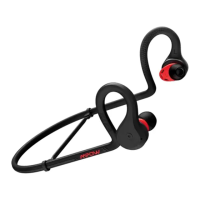

 To Next Page
 General