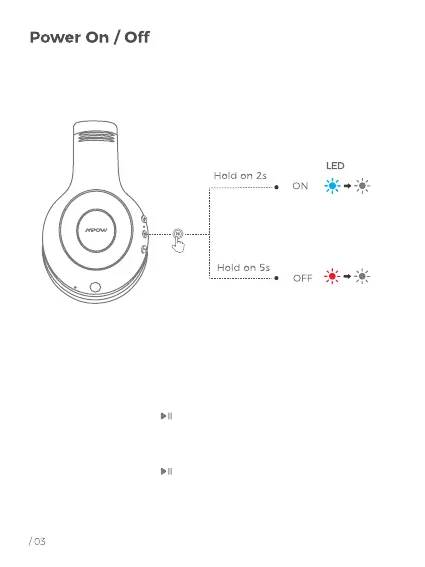
1. Power ON:
Press and hold the “ ” for 2s, the blue light will on and
then goes out, you will hear a voice prompt "power on".
2. Power OFF
Press and hold the “ ” for 5s, the red light will on for
1s and then goes out, you will hear a voice prompt
"power off ".



 To Next Page