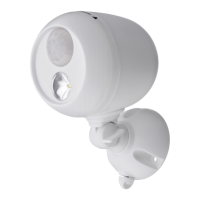
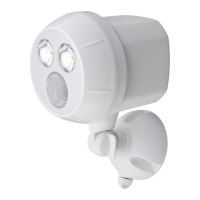
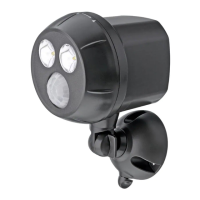
Thank you for purchasing the Mr. Beams™ Remote
Control and Motion Sensor Spotlight. We are
committed to eliminating darkness by using the
latest in light-emitting diodes (LED’s). LED’s are
the most efficient and durable light sources avail-
able. We are certain that your Mr. Beams Spotlight
will contribute to a safer environment and provide
light where you need it at a very reasonable cost.
ENCLOSED YOU WILL FIND:
x Remote-Controlled and Motion-Sensor
Spotlight with Mounting Base
x Remote Control with Mounting Bracket
x (2) 3V Coin Cell Batteries
x 3 Screws and 2 Anchors
Remote Control & Motion-Sensor Spotlight – Item MB371
INSTRUCTION GUIDE
MB371 SPOTLIGHT FEATURES
Remote Control—Turn Spotlight On and
Off from up to 70ft away.
Note: Remote Control will not override mo-
tion or light sensor or auto shut-off.
Motion Sensor Activated – You can set the
on-time of the light at 30 seconds or 10 min-
utes. Light shuts off automatically if no
motion is detected.
Light Sensor – Motion-Sensor Spotlight
goes on only in darkness to conserve battery
life.
Mount to Wall – Motion-Sensor Spotlight
can be rotated 360° as well as up and down.
WARNING
x Use only new alkaline D-Cell batteries
with 1.5V rating. Do not mix old and
new batteries. Install batteries with
polarity in correct position.
x Follow battery instructions for proper
disposal and cautions.
x Mount fixture securely with included
screws, and use anchors if not securing
to solid wood or other solid material.
Use the third screw if mounting Spot-
light upside down!
x Black wire inside unit is the antenna,
do not attempt to attach or remove
(one end is attached, one is loose).
1. Remove front cover of
Spotlight by rotating
counter-clockwise as shown
in Illustration 1a to reveal
controls and battery holders.
Insert 3 D-Cell Batteries
into Spotlight as shown in
Illustration 2. Flat side of
batteries match springs.
2. Set your automatic
shut-off time to Min or
Max (Illustration 3a).
NOTE: Light will stay on
as long as motion is detected. We recommend
Min to save battery life.
IMPORTANT NOTES:
x RF Spotlight has a black wire antenna inside with one side attached to unit. Please
be sure to carefully wrap or tuck the antenna before twisting unit shut. If antenna
wire is damaged, the remote will no longer activate it.
x Please use only new alkaline D-Cell batteries with 1.5V rating.
x Do not mix old and new batteries.
x If your light stays on constantly, it’s time to change the batteries!
x Do not mount remote on metal as it interferes with signal
x You must hold down button on remote for one second to control light
x Spotlight only activates in darkness to conserve batteries. Test in a dark room or closet before installing.
INSTALLATION INSTRUCTIONS
Mr. Beams
32111 Aurora Road, #8
Solon, OH 44139
877.298.9082
www.mrbeams.com
Motion
Sensor
LED
Light
Mounting
Base
Mounting
Base Thumb
Illustration 2
Min Max
30 sec. 10 min.
4. Open the Remote Control and con-
firm that the code matches the code set
on the Spotlight (Illustration 4).
5. Insert 2 (Two) flat 3V batteries
(included) as shown on the inside of the
Remote Control. Smooth side of battery
should be facing up.
6. Match arrows then turn cover clock-
wise (Illustration 5). Make sure unit
is securely closed with arrow pointing
past the lock symbol to ensure weath-
erproof seal is tight.
BEFORE YOU MOUNT YOUR SPOTLIGHT
Illustration 1a
Illustration 3a
Illustration 5
Illustration 1b Illustration 3b Illustration 4
SPOTLIGHT REMOTE


 To Next Page
 Need help?

 General