EasyManua.ls Logo

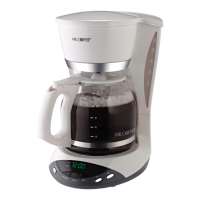
Mr. Coffee DSP10 - User Manual

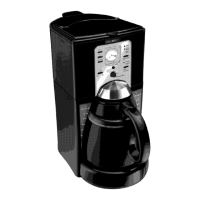
Mr. Coffee DSP10
12 pages
Print Icon
To Next Page IconTo Next Page
Loading...
OPERATING INSTRUCTIONS FOR THE
SPEED
BREW™ COFFEEMAKER
MODEL: DSP10
For better
tasting tea and coffee,
use Mr. Coffee
®
8-12 cup basket filters.
Mr. Coffee Replacement
Decanter Model DD10
FOR HOUSEHOLD USE ONLY
FOR QUESTIONS OR SERVICE, CALL
1-800-MR COFFEE
1-800-672-6333 U.S.A.
Monday through Friday,
8:30 am to 5:00 pm Eastern Standard Time
R
UNBLEACHED

Questions and Answers

  • S
    Sarah HarrellJul 30, 2025
    What to do if my Mr. Coffee SPEEDBREW™ Coffee Maker doesn't brew a full decanter?
    • D
      Drew LynchJul 30, 2025
      If your Mr. Coffee SPEEDBREW™ coffeemaker doesn't brew a full decanter after you've filled the reservoir, it could be due to a few reasons. If it brewed a partial batch, the lost water from infrequent use (due to evaporation) has likely been replenished, and you can continue brewing normally. If it didn't brew any coffee, unplug the coffeemaker and follow the steps in the 'Prepare Your Brewer Before First Use' section. Ensure you're brewing at least 20 ounces (FOUR, 5 oz. cups). Also, set your brew control dial to 'Regular'. Finally, your coffeemaker may need cleaning; refer to the 'Routine Cleaning' section.
  • D
    Derek FloydAug 8, 2025
    Why is my Mr. Coffee brewed coffee lukewarm or cold?
    • R
      ryan56Aug 8, 2025
      If your Mr. Coffee SPEEDBREW™ coffee is lukewarm or cold immediately after brewing, ensure the coffeemaker is plugged into an outlet and that the Reservoir Power (ON/OFF) switch is ON. Also, allow sufficient time for the water inside to reach brewing temperature, referring to the 'Prepare Your Brewer for First Use' and 'Brewing Coffee' sections. Finally, verify that the warmer switch is ON.
  • M
    Mary HuntAug 19, 2025
    How to stop Mr. Coffee SPEEDBREW™ brew basket from overflowing with decaf?
    • G
      gina22Aug 20, 2025
      To prevent the brew basket of your Mr. Coffee SPEEDBREW™ coffeemaker from overflowing when brewing decaffeinated coffee, set your brew control dial to 'Decaffeinated'. This will lengthen the brew cycle and should prevent overflow.

Summary

Important Safeguards

Safety Precautions and Warnings

Essential safety rules to prevent fire, electric shock, and injury when using the appliance.

Special Cord Set Instructions

Extension Cord and Polarized Plug Usage

Guidelines for using extension cords and polarized plugs to reduce electrical hazards.

Service and Support Information

Contacting Mr. Coffee for Service

Information on how to get assistance or service for your coffeemaker.

Introduction to Your Coffeemaker

Diagram of Coffeemaker Parts

Key Operational Information

Understanding Coffeemaker Functionality

Insights into power switch, water heating, decanter placement, and brew control dial.

Preparing Your Coffeemaker for First Use

How to Brew Coffee

Coffee Measurement and Brewing Tips

Guide for coffee amounts and important tips for brewing a perfect pot.

Brewing Safety Warnings

Crucial warnings to prevent injury and damage during the brewing process.

Brew Control Dial Features

Decaffeinated Brewing and Hot Water

Instructions for brewing decaffeinated coffee and obtaining hot water only.

Draining the Water Reservoir

Routine Cleaning Procedures

Decanter Cleaning Instructions

Troubleshooting Common Issues

Mr. Coffee Limited Warranty Information

Mr. Coffee DSP10 Specifications

General IconGeneral
TypeDrip Coffee Maker
Capacity10 cups
Water ReservoirRemovable
Pause and ServeYes
ProgrammableNo
Water FiltrationNo
Power900 watts
Brew PauseYes
Filter TypePermanent Filter
FeaturesWater window
Auto Shut-OffYes

Related product manuals