Note: We strongly suggest that do not flight this GPS drone indoor, and the regular flying under no GPS mode.
Headless Mode
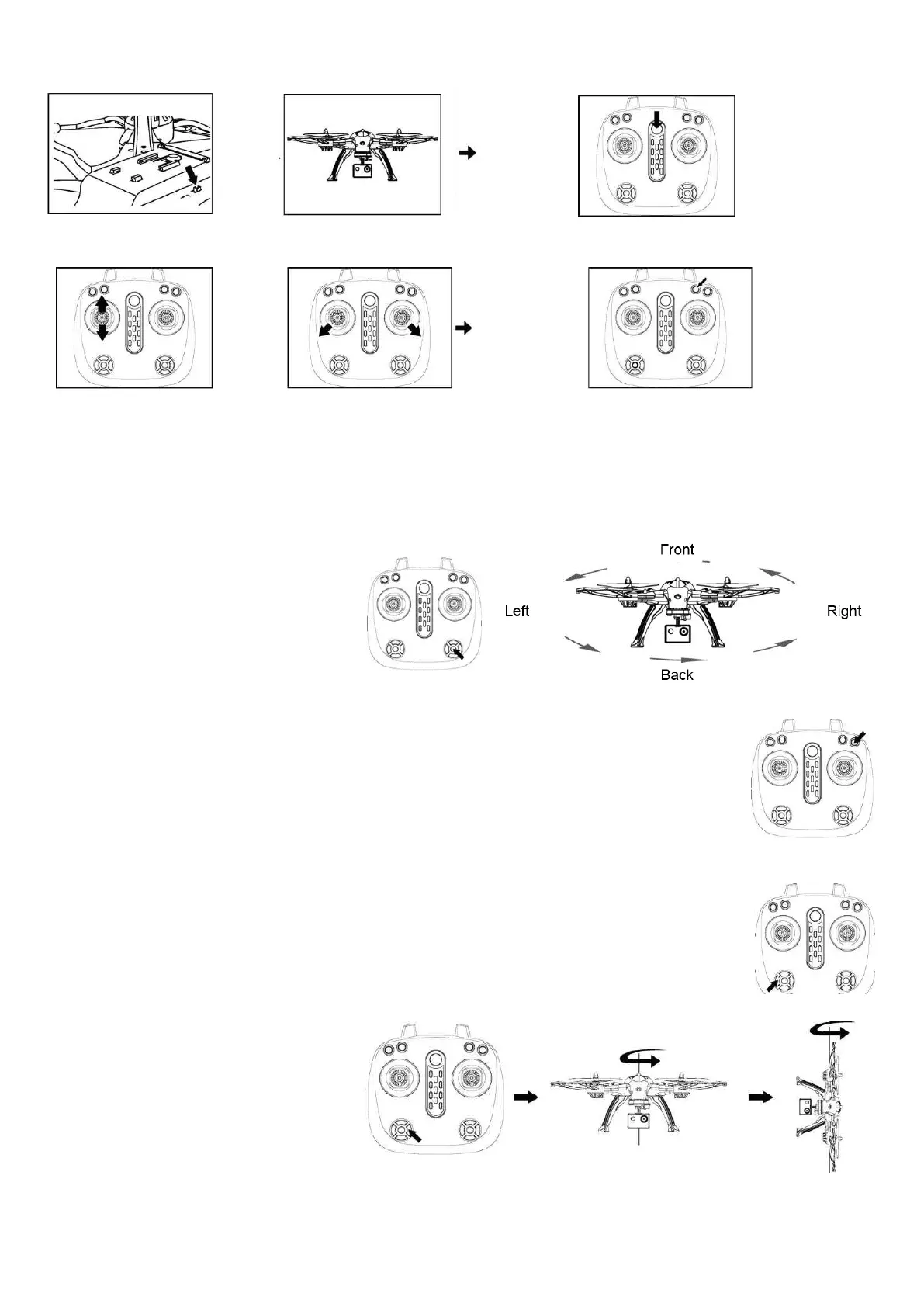
Press the button on controller (Short press)
you will hear beep sounds, then you get into
headless mode. Press it again to quit.
At the moment when you start headless
mode, the direction that controller is
pointing to will be fixed as the directions of
drone. No matter how you rotate the drone,
the front direction won't change accordingly.
GPS MODE
NOTE: The drone defaulted GPS turn “On” when leave factory.
1. GPS ON / OFF
Short press the button on controller, you will hear a long beep sound 'Di~Di', then you get into the GPS
mode. Press it again to quit GPS mode, when you hear a short 'Di'.
2. Gyroscope Calibration
Before flying, press and hold the small button for 3 seconds, the LED lights on the drone flashes quickly for 2
seconds, then let go of the small button. The LED lights on the drone stop flashing and remain on.
Then gyroscope calibration complete.
3. Compass Calibration
After the drone connected to controller and GPS is ON, the compass has to be calibrated (at an open area).
3.1 Press and hold the small button for 3 seconds, the LED lights on the drone flashes quickly, then let go of
the small button.
3.2 Hold the drone on hand, rotate it
Horizontally for 3 circles first, then
Vertically (camera facing up) for 3 circles,
afterwards place it on a flat surface, the LED
lights flashes slowly and compass calibration
is completed.
4. Searching for GPS signal
After completing the compass calibration,
keep waiting for 30-40 seconds until the drone LED lights stop flashing and remain ON, GPS signal has been well received.


 To Next Page
 Loading...