Note: You can aslo execute step 3.compass calibration firstly, then step 2.Gyroscope calibration; and take some of
the“Important tips”in the last page of each language for reference if searching GPS signal not smoothly.
5. Position Hold
Start the motors and ascend the drone , then release the throttle after the drone goes up to the desired height. Before
controlling the rudder, the drone stays at a point (Position Hold), and now it’s best time for aerial photography.
6. One Key Return
Press and hold the button for 3 seconds, beeps
will keep sounding, then the drone will go up to a
safe height, fly back and land at the Home point
(with 1m-2m tolerance). Note: If the drone
battery is low or remote controller is OFF, the
drone will also return to home point
automatically.
Follow-me Mode
1. APP DOWNLOAD & INSTALLATION
1.1 Search [LW-FPV] from iOS App Store or Android Google Play
1.2 Download and install it onto your smart phone or tablet
2. HOW TO CONNECT DRONE WITH APP
2.1 Power on the drone (Note: Remote controller must be powered OFF first)
2.2 Enter the Setting of your smart phone/tablet, and turn on WiFi.
2.3 Find a WiFi hotspot [WiFi720P...], click to connect it until "connected".
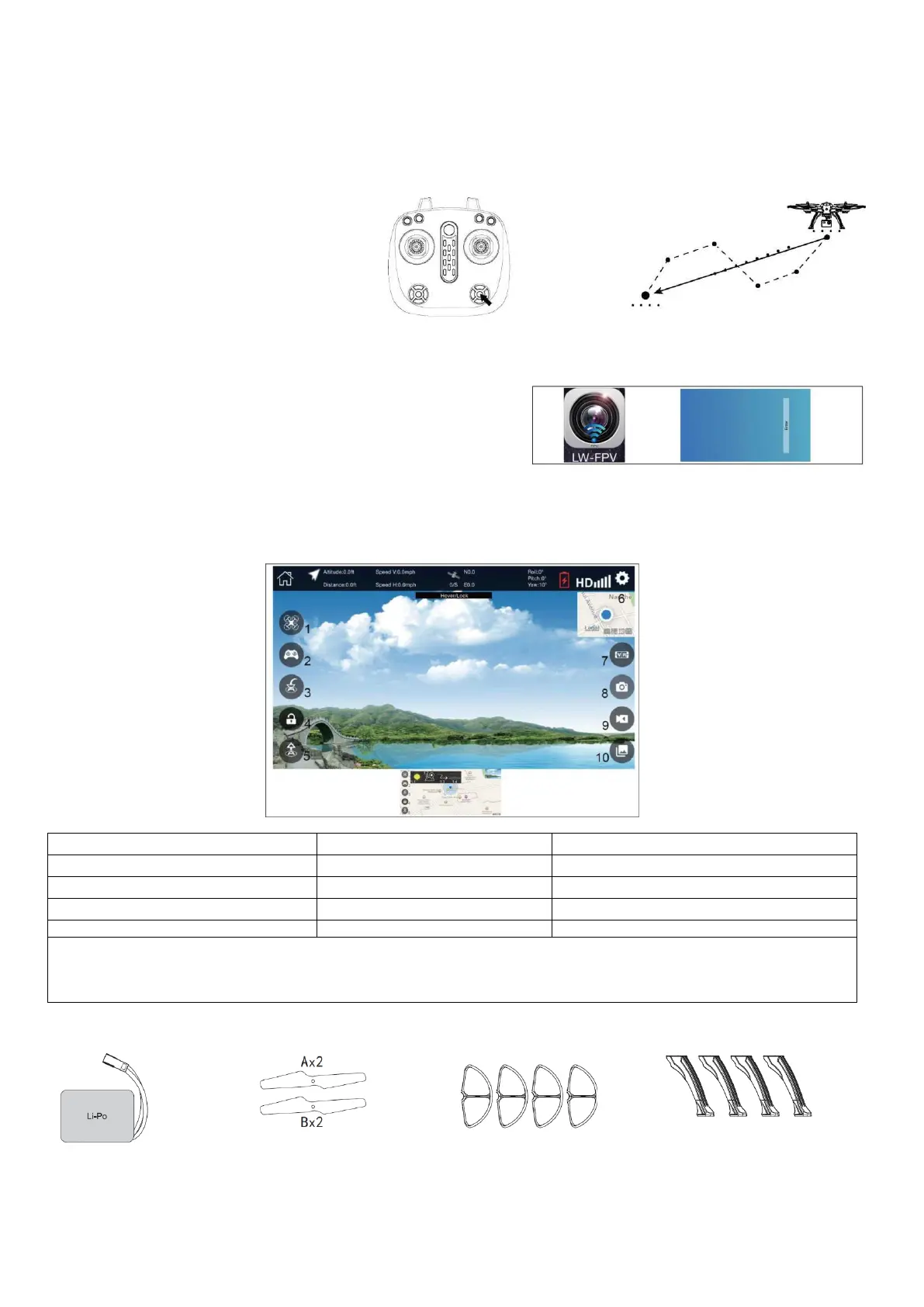
2.4 Start the App [LW-FPV], click the icon [Enter] to enter the control interface.
Manual Control (1.1): When GPS signal is well received and LED lights on the drone stop flashing, Click 4 to start motors,
Ascend the drone by clicking Take-off or pushing up the joysticks. Follow-me mode (1.3): When the drone is in the air, switch
into Follow-me mode. Then the drone will fly or turn around automatically following your walking or running path/speed.
Photo/Video (8/9): Photo and Video files will be stored onto smartphone directly


 To Next Page
 Loading...