3-11
BIOS Setup
▍
MS-7596
UMA Locaton
Ths tem s used to select the locaton of UMA to avod over-lappng wth the other
data blocks n system memory.
On-chp VGA
Ths tem speces whether to allocate the memory for onboard VGA from the sys
-
tem memory or sdeport memory. Settng to [UMA], allocates the system share
memory for onboard VGA. Settng to [SIDEPORT], allocates the sdeport memory
for onboard VGA. Settng to [UMA+SIDEPORT], allocates both system memory and
sdeport memory for onboard VGA.
VGA Share Memory
The system shares memory to the onboard VGA card. Ths settng controls the exact
memory sze shared to the VGA card.
SIDEPORT Memory Frequency
Ths tem allows you to set the SIDEPORT memory frequency (n MHz).
UMA-SP Interleave Mode
Ths tem allows you to adjust the rato of UMA to SIDEPORT memory.
Boot Sequence
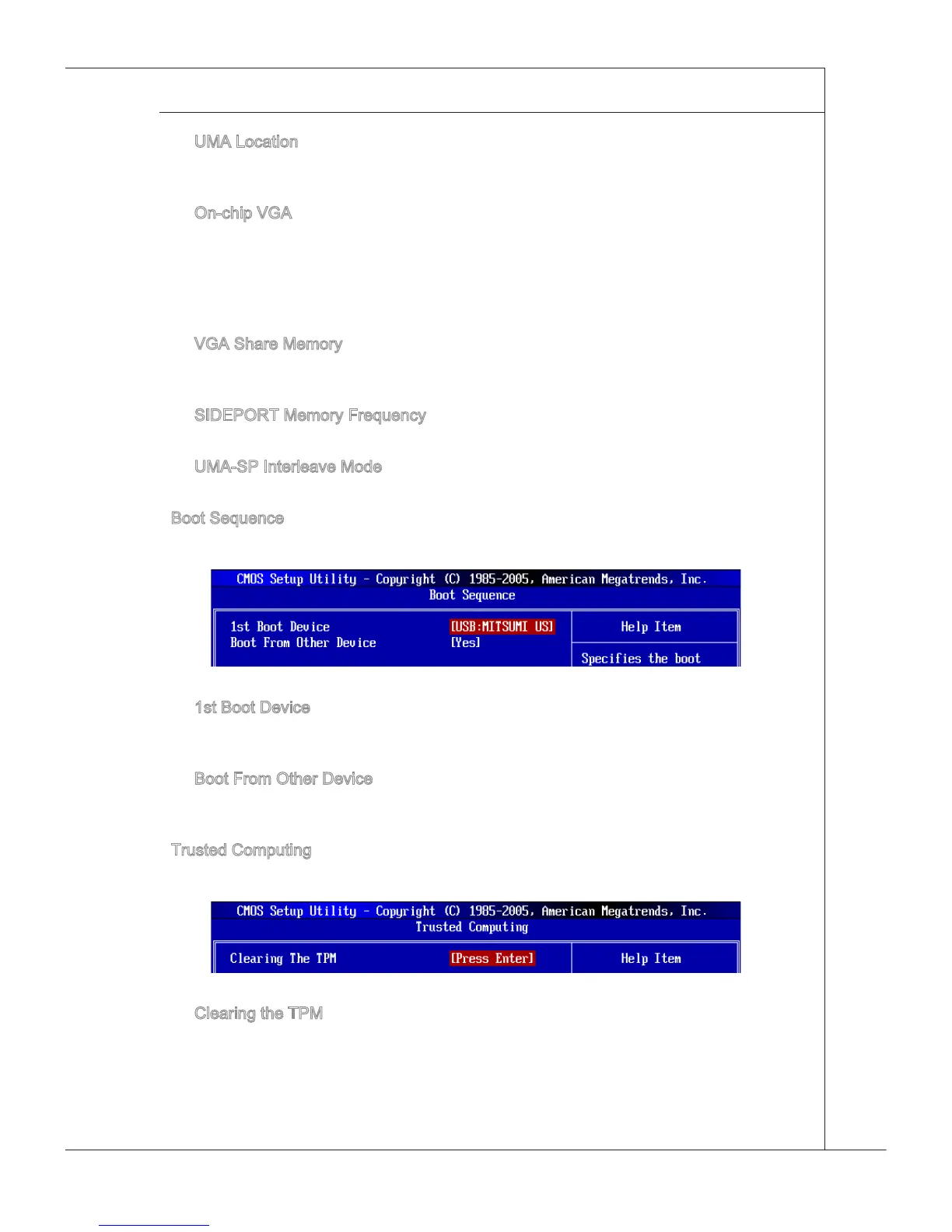
Press <Enter> to enter the sub-menu and the followng screen appears:
1st Boot Devce
Ths tem allows you to set the rst boot devce where BIOS attempts to load the dsk
operatng system.
Boot From Other Devce
Settng the opton to [Yes] allows the system to try to boot from other devce, f the
system fals to boot from 1st boot devce.
Trusted Computng
Press <Enter> to enter the sub-menu and the followng screen appears:
Clearng the TPM
Press Enter to clear the TPM status.
▶
▶
▶
▶
▶
▶
▶
▶
▶
▶



 To Next Page