Dene LD (Creatng RAID)
The selecton of the RAID conguraton should be based upon factors ncludng perfor
-
mance, data securty, and the number of drves avalable. It s best to carefully consder
the long-term role of the system and plan the data storage strategy. RAID sets can be
created ether automatcally, or to allow the greatest exblty, manually.
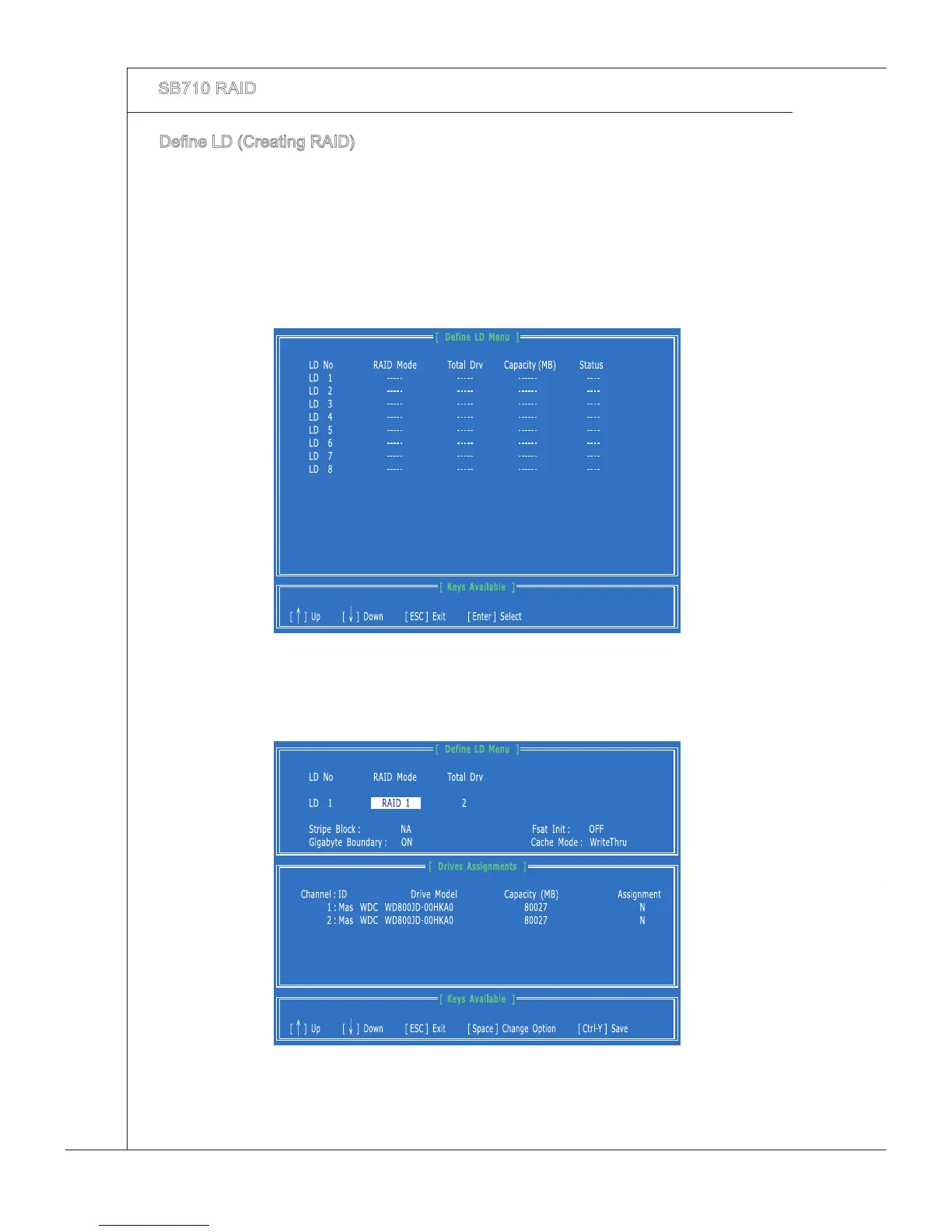
Press 2 on the Man Menu screen to enter the Dene LD Menu.
Press the arrow keys to hghlght a logcal drve number you want to dene and
press Enter to select t.
1.
2.
On the next screen, use the space key to choose a RAID mode (RAID 0/ 1/ 10) and
use the arrow key to move to the “Drves Assgnments” wndow.
3.



 To Next Page