Page 12 MSI-9300 Crane Scale™ • User Guide
MSI-9300 Porta-Weigh+ Crane Scale
SECTION 3 – MSI-9300 SETUP MENU
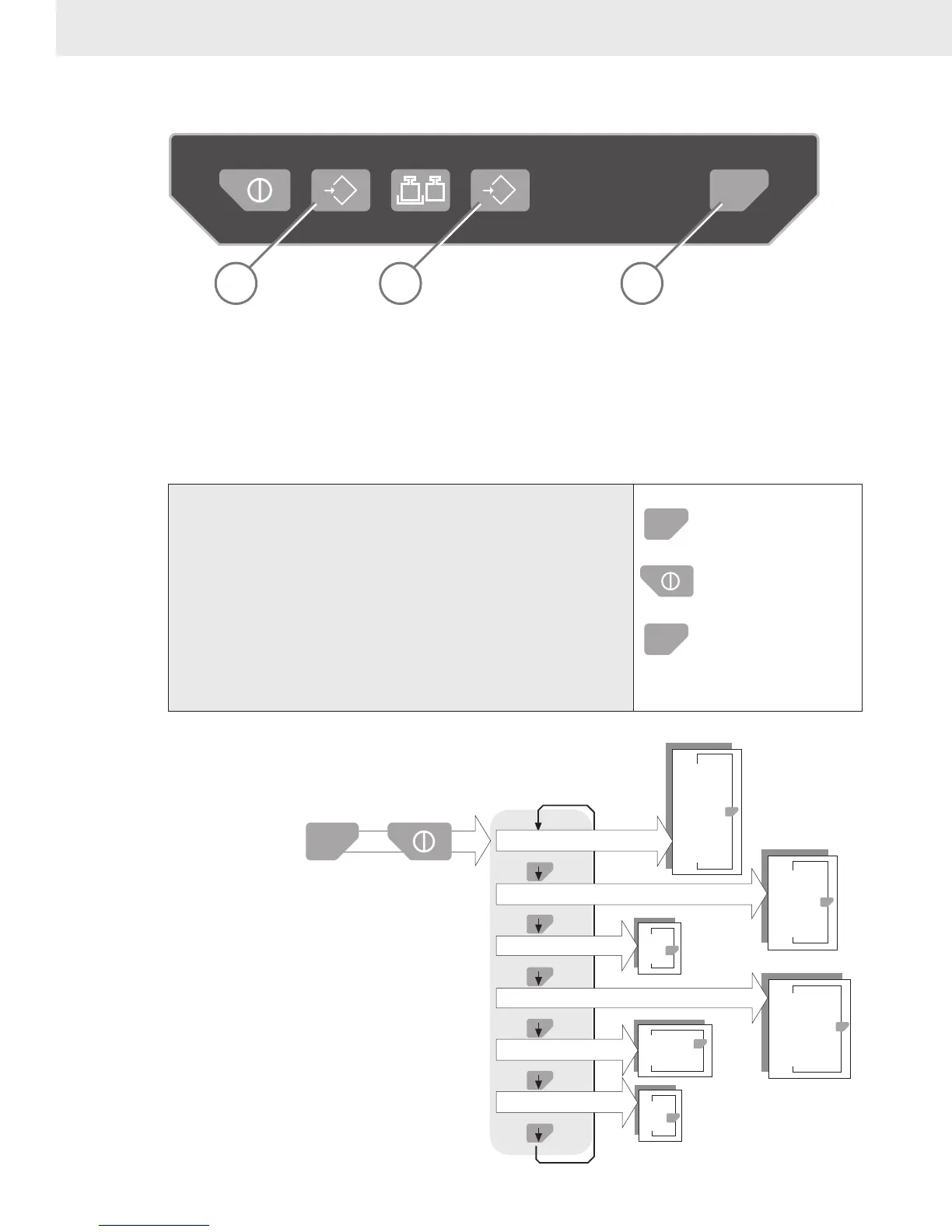
KEY FUNCTIONS DURING SETUP
T
0
ZERO NET/GROSS TAREPOWER TEST
123
1) The Test key is used to scroll through menu selections.
2) The Tare key is used to select the displayed menu choice.
3) The Zero key is used to exit out of the current menu. At the root level the Zero key turns off the Setup
mode and returns the MSI-9300 to weight display.
To Start the Setup Menu
hold
8.8.8.8.8.8
release
Func
1) If the MSI-9300 is on, turn it off with the POWER key.
2) Press and hold the TEST key.
3) While still holding the TEST key, turn on the MSI-9300
with the POWER key.
4) Release the TEST key after the segment test screen is fin-
ished.
5) After a few seconds, the display will show the first Setup
Menu item, “FUNC”.
°F
°C
OFF
ENABLE
OFF
AU
TOLD
AU
TONR
AU
TOPE
PRESS
TOTAL MODE
MENU
kg
lb
OFF
0.16 hr
0.5 hr
1 hour
TEST
UNIT
S LIST
°F °C
rFList
OFF
TOT
AL
USER KEY
FUNCTION
MENU
MAIN
SETUP MENU
AUTO OFF
MENU
F
unc
Hold Down
w/ Power Off
Let Go of Test
>1 s after Display
turns on.
A-OFF
U
nit
tot
AL
° A
uto
°
U
nit
TEST
TEST
TEST
TEST
TEST
TEST
TEST
POWER
SETUP MENU STRUCTURE



 To Next Page