
 Need help?
Do you have a question about the MSI C847MS-E33 Series and is the answer not in the manual?
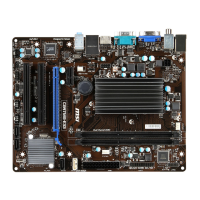
Diagram showing the physical layout of motherboard components and connectors.
Details on supported processors and the Intel NM70 chipset.
Specifications for memory, LAN controller, and audio codec.
Details on SATA ports and all motherboard connectors.
Information on expansion slots, form factor, and mounting.
Diagram and list of all connectors available on the motherboard's rear panel.
Details for connecting an ATX 24-pin power supply to the mainboard.
Details for connecting a 12V power supply to the CPU.
Information about connecting a parallel port bracket.
Details on connecting system cooling fans to the motherboard.
Information on high-speed SATA interface ports for storage devices.
Details for connecting high-speed USB peripherals.
Information on connecting the front panel audio header.
Details for connecting front panel switches and LEDs.
Details of the 16550A high speed serial communication port.
Information on connecting a Trusted Platform Module.
Details on the chassis intrusion switch cable connection.
Instructions for clearing CMOS RAM to reset system configuration.
Details on jumpers for USB power and Wake Up Event setup.
Information on the PCIe slot for expansion cards.
Details on the PCI slot for add-on cards.
Explanation of the Aptio Setup Utility menu bar and navigation keys.
Description of basic system configurations and advanced features menus.
Instructions for reading and flashing the BIOS from a storage drive.
Guide to setting supervisor and user passwords for BIOS.
Information on specifying the priority of boot devices.
Options for loading BIOS defaults and exiting the setup utility.
Guide to installing Windows XP using IDE mode for compatibility.
 General
| Brand | MSI |
|---|---|
| Model | C847MS-E33 Series |
| Category | Motherboard |
| Language | English |



 To Next Page