11
1st Level Menu 2nd/3rd Level Menu Description
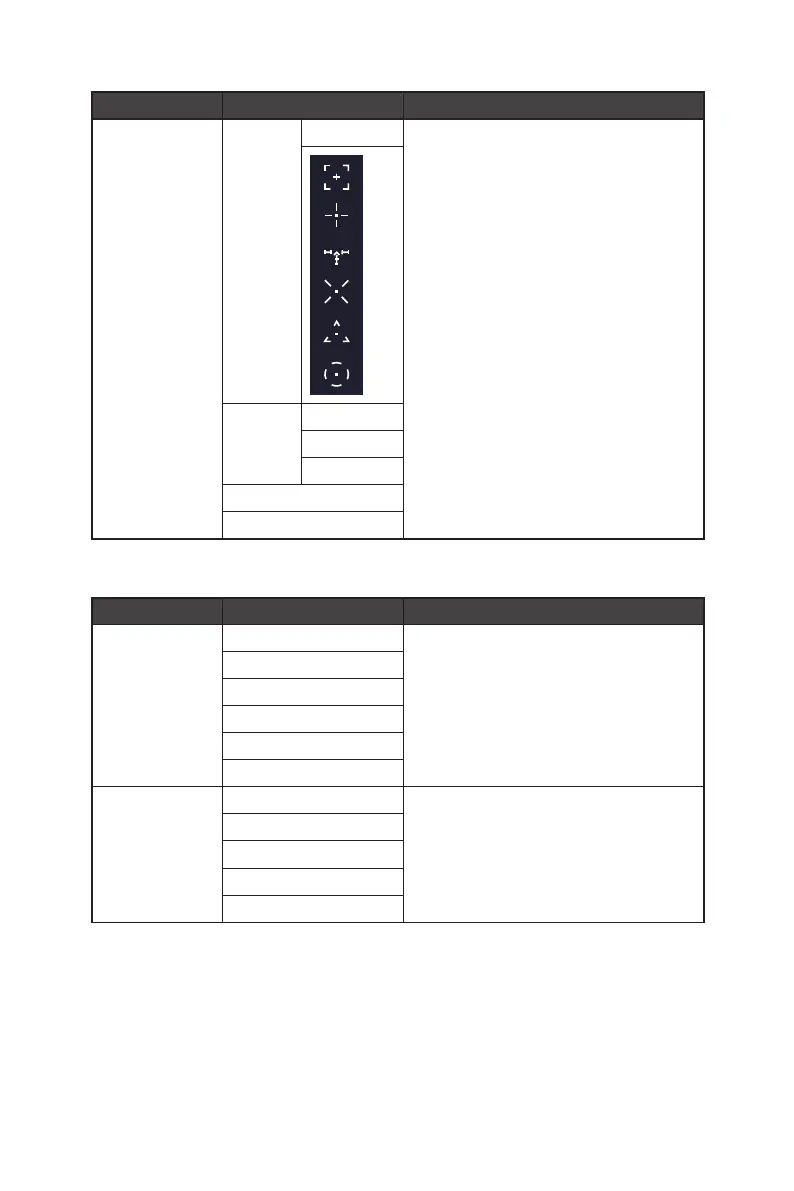
Smart Crosshair Icon None ∙ Through AI algorithm, this function enhances
the visibility of in-game crosshair.
∙ Users can select the color and position of the
crosshair.
Color White
Red
Auto
Position
Reset
Gaming
1st Level Menu 2nd/3rd Level Menu Description
Game Mode Premium Color ∙ Use Up or Down Button to select and preview
mode effects.
∙ Press the OK Button to confirm and apply your
mode type.
User
FPS
Racing
RTS
RPG
Night Vision OFF ∙ This function optimizes background brightness
and is recommended for FPS games.
Normal
Strong
Strongest
A.I.



 To Next Page