B-6
Overclockng Center
▍
MS-7602
Overclockng Center
▍
MS-7602
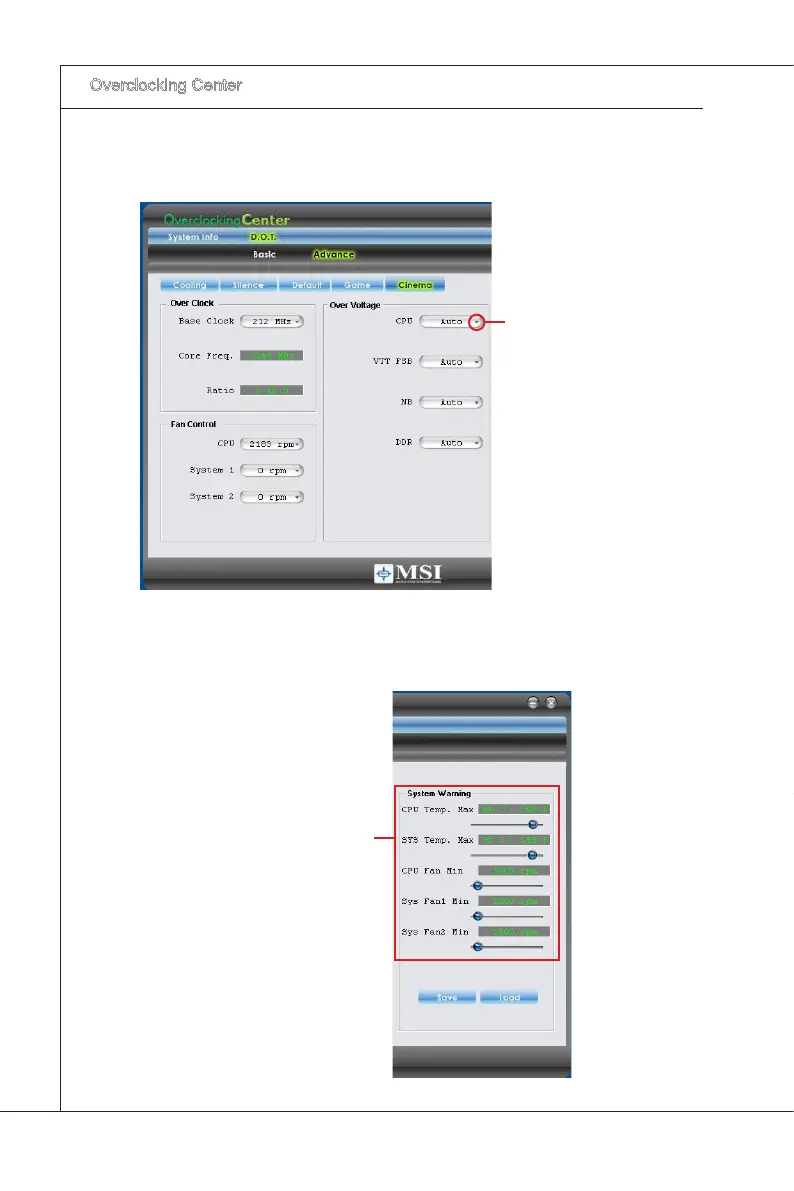
In each settng menu, you can select desred values for manual overclockng. Smply
clck the rght sde of the button whch arranges an arrow sgn, and a drop-down menu
wll appear below the button, then select a value.
Clck the arrow sgn
and the drop-down
menu wll appear.
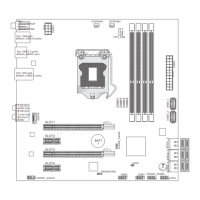
In the “System Warnng” block, you can set the maxmum CPU/ system temperature
and the mnmum CPU/ system fan speed by usng the scroll bar. The system wll pop-
up a warnng message to warnng you when the temperature/ fan speed s over/ lower
the values you set.
Set the thresholds of
CPU temperture &
CPU FAN speed.



 To Next Page