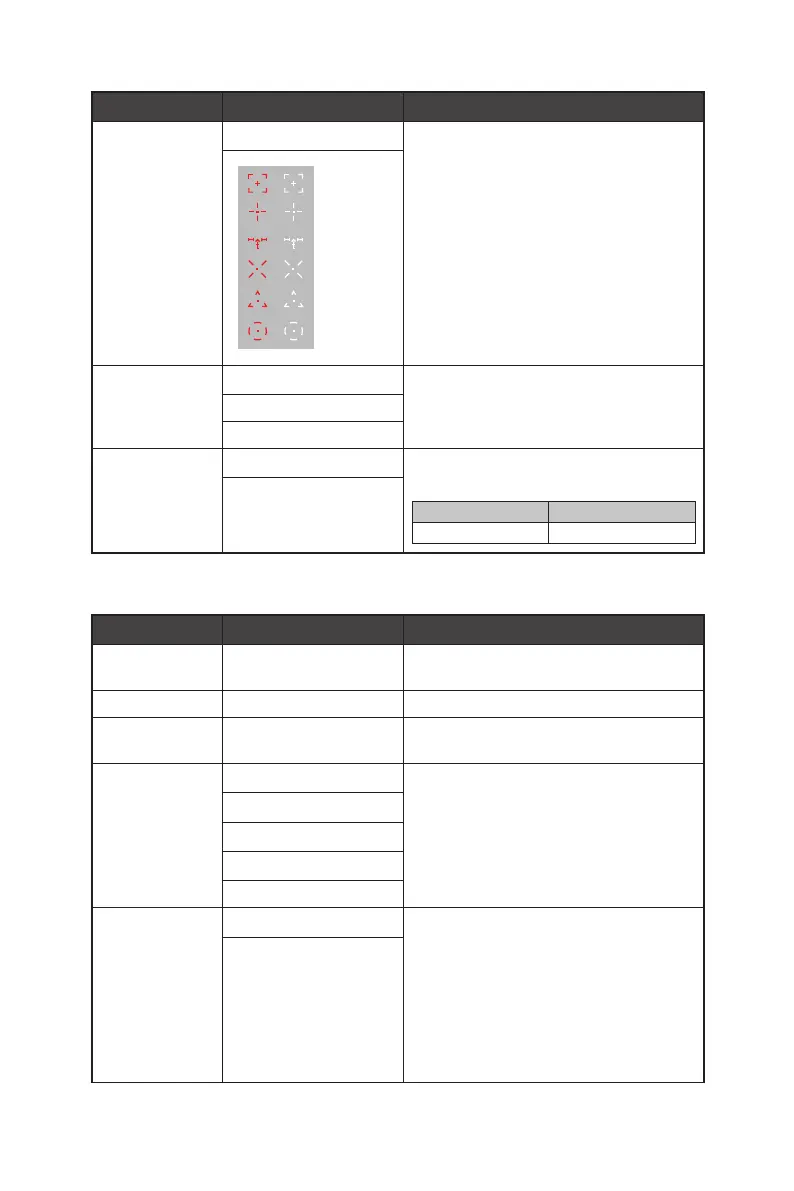
12
1st Level Menu 2nd/3rd Level Menu
Description
Screen Assistance None ∙ Users can adjust Screen Assistance in any
mode.
Screen Size Auto ∙ Users can adjust Screen Size in any mode, any
resolution and any screen refresh rate.
4:3
16:9
Adaptive-Sync OFF ∙ Adaptive-Sync prevents screen tearing.
∙ Activating Adaptive-Sync will affect:
Affected Function Function Status
» MPRT Set to OFF
ON
Image
1st Level Menu 2nd/3rd Level Menu Description
Brightness 0-100 ∙ Properly adjust Brightness according to the
surrounding lighting.
Contrast 0-100 ∙ Properly adjust Contrast to relax your eyes.
Sharpness 0-5 ∙ Sharpness improves clarity and details of
images.
Image
Enhancement
OFF ∙ Image Enhancement enhances image edges to
improve their acutance.
Weak
Medium
Strong
Strongest
Low Blue Light OFF ∙ Low Blue Light protects your eyes against blue
light. When enabled, Low Blue Light adjusts
the screen color temperature to a more yellow
glow.
∙ When Mode is set to Anti-Blue, it is mandatory
to enable Low Blue Light.
∙ This monitor is a Low Blue Light monitor which
will decrease the blue light emitted without
adjusting the OSD settings.
ON




 To Next Page