11
Connecting the Monitor to PC
1. Turn off your computer.
2. Connect the video cable from the monitor to your computer.
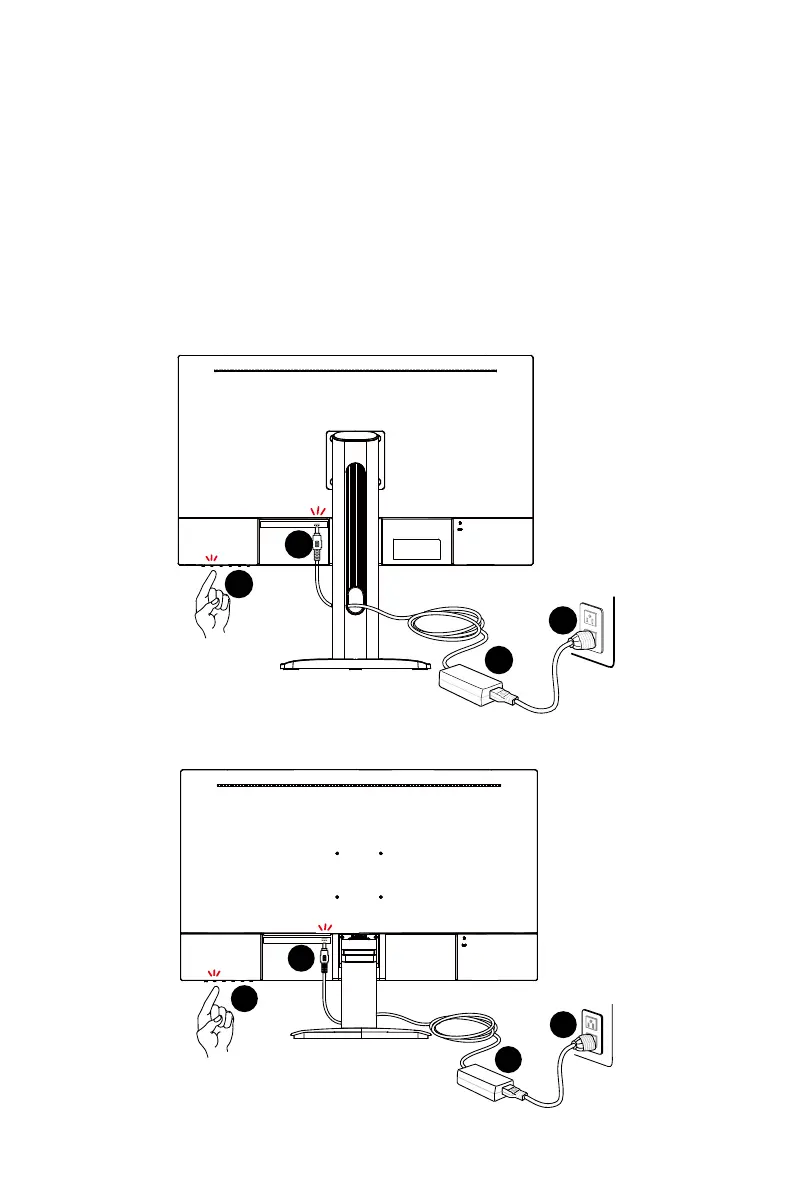
3. Assemble the external power supply & power cord. (Figure A)
4. Connect the external power supply to the monitor power jack. (Figure B)
5. Plug the power cord into the electrical outlet. (Figure C)
6. Turn on the monitor. (Figure D)
7. Power on the computer and the monitor will auto detect the signal source.
PRO MP273QP E2
A
B
C
D
PRO MP273QW E2
A
B
C
D




 To Next Page