18
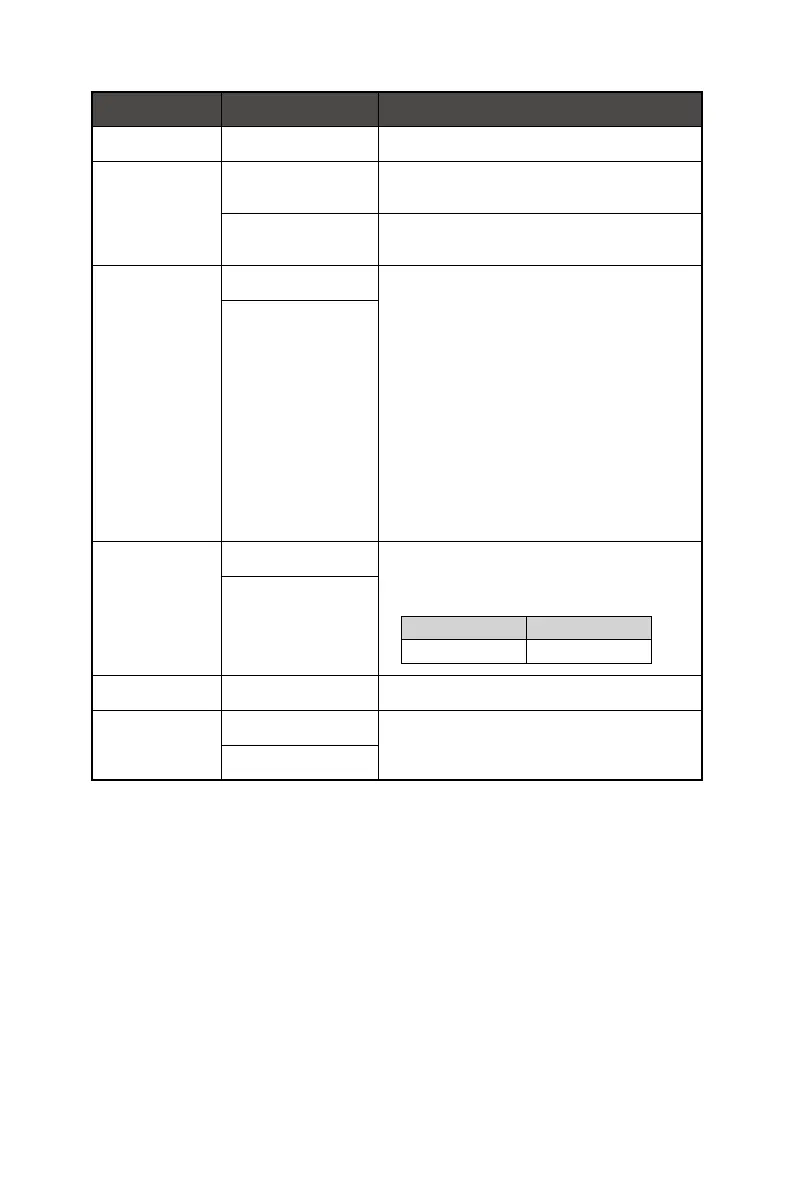
1st Level Menu 2nd Level Menu Description
OSD Time Out 5~30s ∙ Users can adjust OSD Time Out in any mode.
Power Button OFF ∙ When set to OFF, users can press the power button
to turn off the monitor.
Standby ∙ When set to Standby, users can press the power
button to turn off the panel and backlight.
HDMI™ CEC OFF ∙ HDMI™ CEC (Consumer Electronics Control)
supports Sony PlayStation®, Nintendo® Switch™,
Xbox Series X|S consoles and various audio-visual
devices that are CEC-capable.
∙ If HDMI™ CEC is set to ON:
• The monitor will automatically power on when the
CEC device is turned on.
• The CEC device will enter power saving mode
when the monitor is turned off.
• When Sony PlayStation®, Nintendo® Switch™,
or Xbox Series X|S console is connected, Game
Mode and Pro Mode will be automatically set to
default Eco mode and can be adjusted to users’
preferred modes later.
ON
Info. On Screen OFF ∙ The information of the monitor status will be shown
on the right side of the screen.
∙ Activating Info. On Screen will affect:
Affected Function Function Status
» Eye-Q Check Set to OFF
ON
Audio Volume 0-100 ∙ Users can adjust Audio Volume in any mode.
Reset YES ∙ Users can Reset and restore settings to original
OSD Default in any mode.
NO





 To Next Page