5
∙
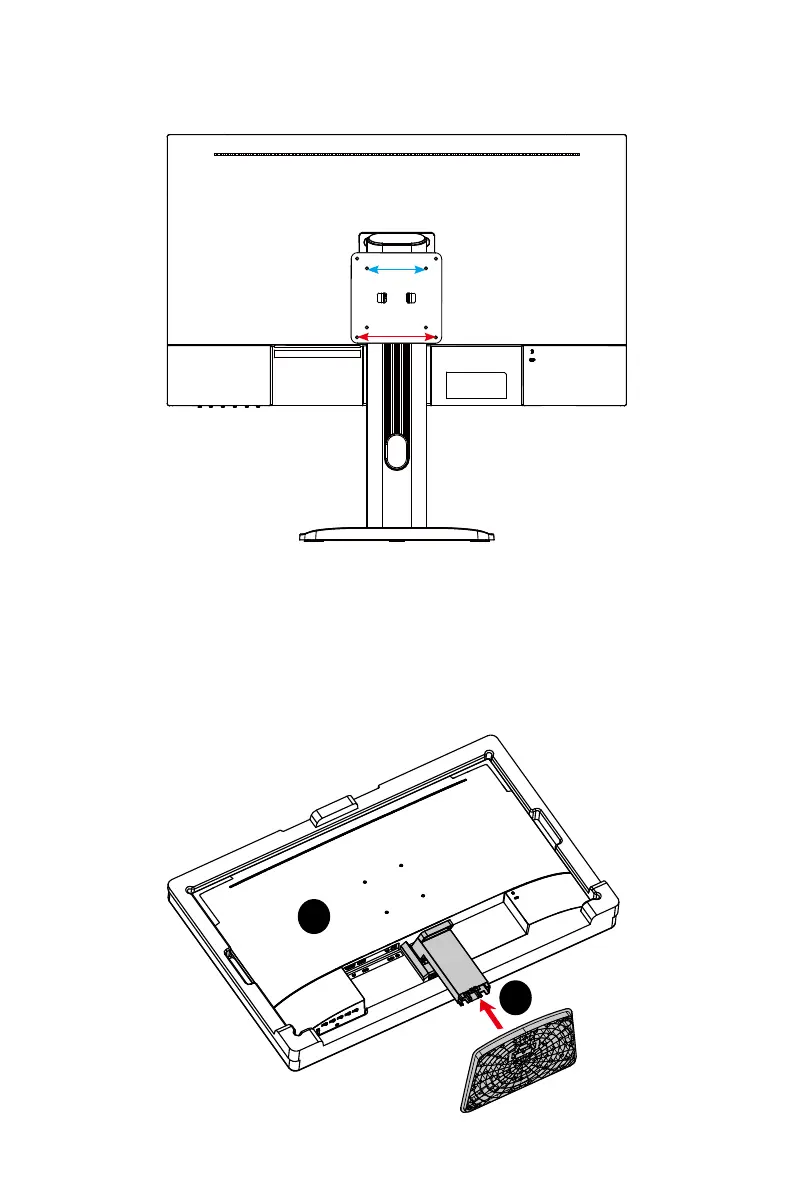
This monitor comes with an optional VESA plate, providing users with the flexibility
to mount their mini PC if desired.
75mm
100mm
PRO MP273QW E2
1. Leave the monitor in its protective packaging. Align and gently push the stand
bracket towards the monitor groove until it locks in place.
2. Align and gently push the base towards the stand until it locks in place.
3. Make sure the stand assembly is properly installed before setting the monitor
upright.
1
2




 To Next Page