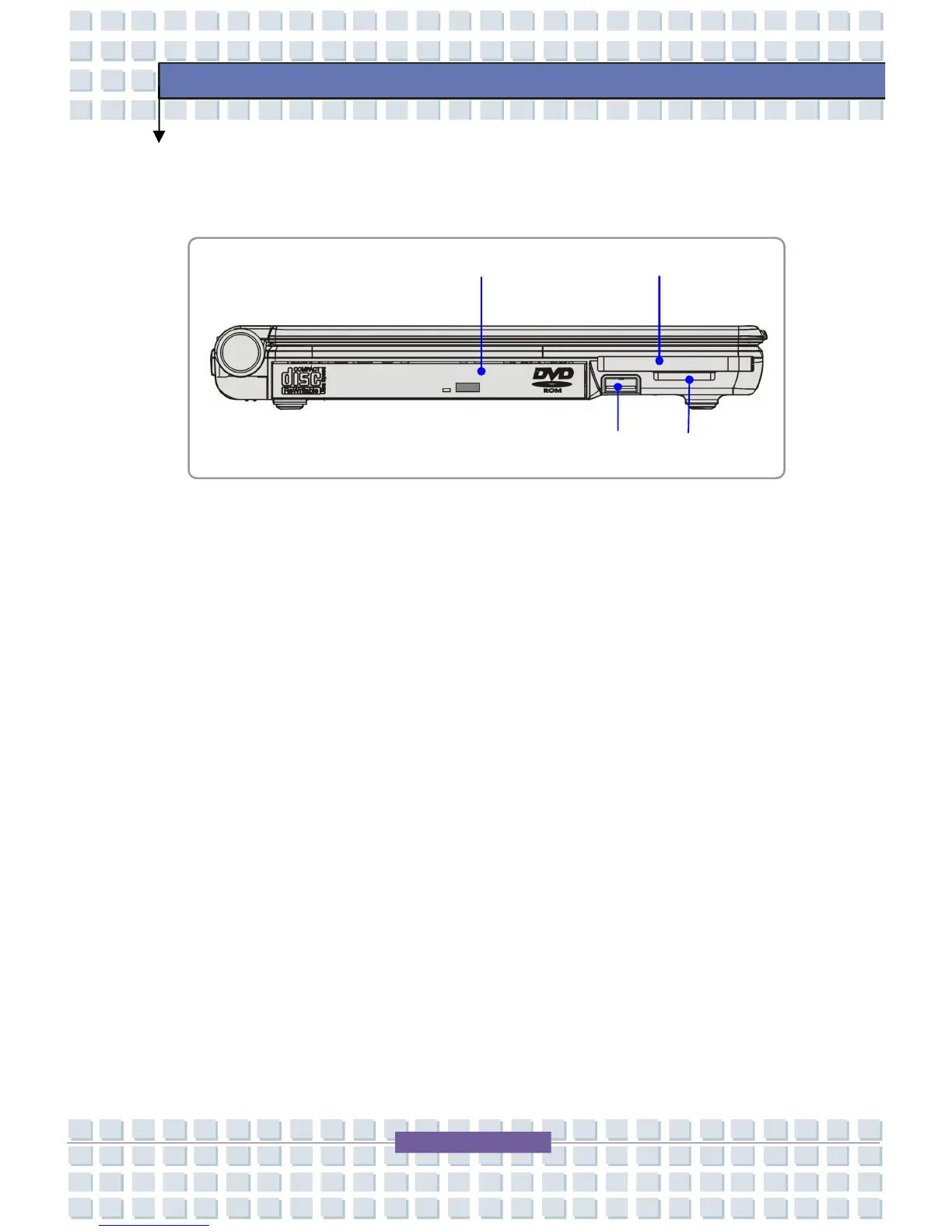
Left-side View
1. Optical Storage Device
A slim CD-ROM/DVD-ROM/CD-RW/DVD Combo/DVD Dual drive is
available in the Notebook, depending on the model you purchased. The
optical device allows you to use the CD/DVD disc for installing software,
accessing data and playing music/movie on the Notebook.
2. USB Port
3. PC Card Slot
The Notebook provides a PC card slot to support one Type-II PC card for
expansion functions, such as LAN/WLAN card, modem card, memory card,
etc.
4. 3 in 1 Card Reader
The built-in card reader supports MMC (multi-media card), SD (secure
digital) and MS (memory stick) cards




 To Next Page