Power Management
AC Adapter
Please be noted that it is strongly recommended to connect the AC adapter and
use the AC power while using this Notebook for the first time. When the AC
adapter is connected, the battery is being charged immediately.
NOTE that the AC adapter included in the package is approved for your
Notebook; using other adapter model may damage the Notebook or other
devices on the Notebook.
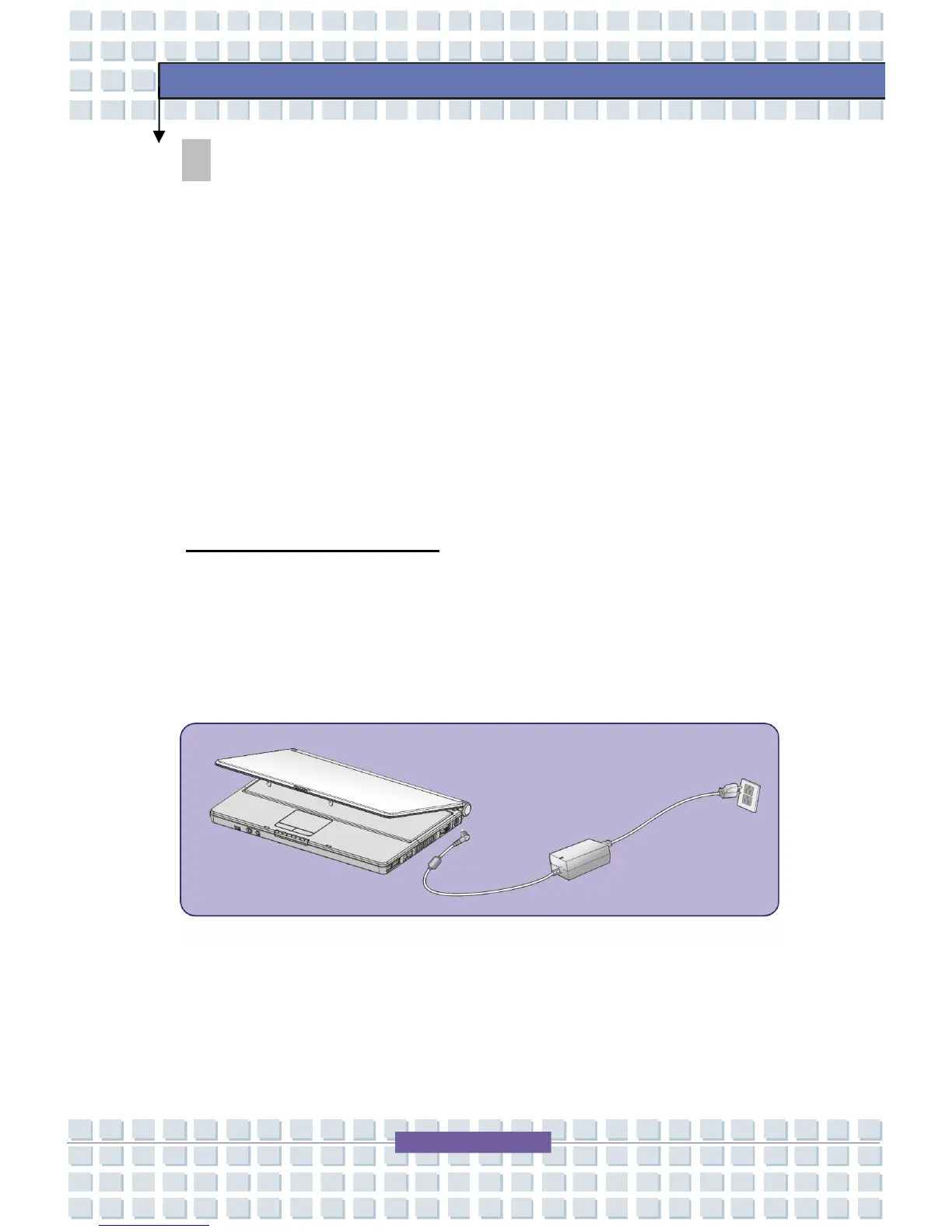
Connecting the AC Power
1. Unpack the package to find the AC adapter and power cord.
2. Attach the power cord to the connector of the AC adapter.
3. Plug the DC end of the adapter to the Notebook, and the male end
of the power cord to the electrical outlet.




 To Next Page