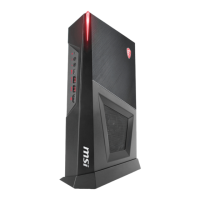
Device Description: MSI Trident Series Personal Computer (Trident B935)
The MSI Trident Series Personal Computer, specifically the Trident B935 model, is a compact desktop system designed for personal computing. It offers a range of features for general use, including system operations, power management, network connectivity, and system recovery options.
Function Description
The Trident B935 serves as a personal computer, capable of running the Windows 10 operating system. It is designed to connect with various peripheral devices such as monitors, keyboards, and mice. The system supports both wired and wireless network connections, allowing users to access the internet and local area networks. It also incorporates power management features to optimize energy consumption and includes system recovery functions for troubleshooting and restoring the operating system to its default state.
Important Technical Specifications
Model: Trident B935
Power Rating:
- 230W: 100-240V~, 50-60Hz, 19.5V 11.8A
- 330W: 100-240V~, 50-60Hz, 19.5V 16.9A
Ports and Connectors:
- Hard Disk Drive LED: Indicates HDD activity.
- USB 3.2 Gen 1 Port (Type-C): Provides up to 5V 3A power, speed up to 5 Gbps, for USB peripheral devices.
- Headphone Jack: For audio output.
- Microphone Jack: For audio input.
- USB 3.2 Gen 1 Port (Type-A): For USB peripheral devices, speed up to 5 Gbps.
- Power Jack: For connecting the AC/DC adapter.
- USB 2.0 Port: For USB peripheral devices, speed up to 480 Mbps. Recommended for low-speed devices like mice or keyboards.
- Kensington Lock: For physical security.
- 2.5 Gbps LAN Jack (RJ-45): For wired network connection to a Local Area Network (LAN).
- LINK/ACT LED:
- Off: No link
- Yellow: Linked
- Blinking: Data activity
- SPEED LED:
- Off: 10 Mbps
- Green: 100/1000 Mbps
- Orange: 2.5 Gbps
- Line-In: For audio input.
- Line-Out: For audio output.
- Mic: For microphone input.
- Power Button: To power on/off the system.
Wireless Connectivity (if equipped):
- Radio frequency bands and maximum power levels:
- Features: 802.11 a/b/g/n/ac, BT
- Frequency Range: 2.4 GHz, 5 GHz
- Modulation: FHSS, DSSS, OFDM
- Power Output: 10, 20, 23
- Channel Bandwidth: 1, 5, 20, 40, 80 MHz
Usage Features
Placement: The device can be placed horizontally or vertically with the included stand. For vertical placement, the stand should be installed on a stable surface, ensuring the system is powered off and correctly oriented before installation.
Hardware Setup: Users need to connect peripheral devices to the appropriate ports and then connect the power cord to the system and an electrical outlet. The power button is used to power on the system.
System Operations (Windows 10):
- Power Management: Configurable through Windows 10's [Power Options] to save electricity. Default settings include turning off the display after 10 minutes and initiating Sleep mode after 30 minutes of inactivity when operating on AC power.
- Waking the System Up: The computer can be woken from power saving mode by pressing the power button, network activity (Wake On LAN), mouse movement, or keyboard input.
- Wired Network Connection: Established via the 2.5 Gbps LAN jack. Configuration involves accessing [Network Connections] in Windows settings, selecting [Ethernet], then [Network and Sharing Center], and following prompts to set up a new connection or network, typically [Broadband (PPPoE)] for DSL/cable.
- Wireless Network Connection: Established by accessing [Settings] > [Network and Internet], selecting a WLAN connection from the list, or setting up a new connection manually via [Network and Sharing Center].
- System Recovery (Windows 10): Allows users to restore the system to its initial default settings, resolve operating system errors, address virus infections, or install the OS with different languages. This involves accessing [Settings] > [Update and security] > [Recovery] and choosing between [Keep my files] or [Remove everything].
- System Recovery (F3 Hotkey Recovery) (Optional): An alternative recovery method for non-recoverable problems. Users restart the PC, press F3 during the MSI greeting, and then navigate through [Choose an Option] > [Troubleshoot] > [Restore MSI factory] > [RECOVERY SYSTEM] > [System Partition Recovery] to reset the system.
Maintenance Features
Safety and Comfort Tips:
- Workspace: Choose a well-illuminated workspace with a proper desk and chair adjusted to fit posture.
- Posture: Sit straight with good posture, feet flat on the floor, and hands naturally on the desk.
- Environment: Avoid using the PC in uncomfortable places.
- Electrical Safety: Treat the PC with care as it is an electrical device.
- Power Cord: Always hold the connector part when unplugging the AC power cord; never pull the cord directly. Ensure the power cord is placed where it won't be stepped on.
- Cleaning: Remove the power plug before cleaning. Use a soft cloth; avoid industrial chemicals or pouring liquids into openings.
- Magnetic/Electrical Objects: Keep strong magnetic or electrical objects away from the device.
Environmental Considerations:
- Heat Management: Do not place the device on soft, unsteady surfaces or obstruct air ventilators. Use on a hard, flat, and steady surface.
- Temperature/Humidity: Keep away from humidity and high temperatures. Avoid unconditioned environments with storage temperatures above 60°C or below 0°C. Maximum operating temperature is around 35°C.
- Service: If the power cord/plug is damaged, liquid has penetrated, the device has been exposed to moisture, it doesn't work well, has dropped, or shows obvious signs of breakage, get it checked by service personnel.
Battery Safety (if applicable):
- Replacement: Danger of explosion if incorrectly replaced. Replace only with the same or equivalent type recommended by the manufacturer.
- Disposal: Avoid disposal into fire or hot oven, mechanical crushing, or cutting. Avoid extremely high/low air pressure environments.
- Ingestion: Do not ingest battery. Keep new and used batteries away from children.
- Recycling: Batteries, battery packs, and accumulators should be disposed of via public collection systems in compliance with local regulations.
Green Product Features:
- Reduced energy consumption.
- Limited use of harmful substances.
- Easily dismantled and recycled.
- Reduced use of natural resources.
- Extended product lifetime through easy upgrades.
- Reduced solid waste production through take-back policy.
Upgrade and Warranty:
- Certain preinstalled components may be upgradable or replaceable.
- Users should contact the local dealer for information.
- Attempting upgrades or replacements by unauthorized personnel may void the warranty.
- Replaceable parts may be available from the manufacturer for up to 5 years after product discontinuation, depending on regulations. Contact MSI support for details.

 Need help?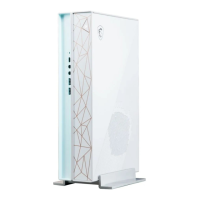



 To Next Page
 General