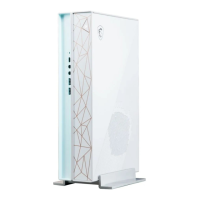
This document is a user guide for the MSI Trident / Creator Series Personal Computer, specifically models Trident B937 and Creator B937. It provides essential information on hardware setup, system operations, safety instructions, and regulatory notices.
Function Description:
The MSI Trident / Creator Series Personal Computer is designed for personal use, offering a range of functionalities for computing tasks. It supports various peripheral devices and network connections, including wired and wireless options. The system is equipped with power management features to optimize energy consumption and includes a system recovery function for troubleshooting and restoring the operating system to its default settings. The "Creator Series" designation suggests it may be optimized for creative tasks such as video editing, graphic design, or 3D rendering, requiring robust processing power and potentially specialized hardware. The "Trident" series often implies a compact, high-performance gaming or enthusiast PC.
Important Technical Specifications:
- Power Rating:
- 230W: 100-240V~, 50-60Hz, 19.5V, 11.8A
- 330W: 100-240V~, 50-60Hz, 19.5V, 16.9A
- Ports and Connectors:
- Front I/O:
- Power Button
- Hard Disk Drive LED
- Thunderbolt™ 4 Port (USB Type-C) (Optional): Supports up to 40Gbps transfer rate with Thunderbolt devices, 20Gbps with USB 4 devices, 10Gbps with USB 3.2 devices. Provides 5V/3A, 15W power charging. Can daisy-chain up to three Thunderbolt 4 devices or five Thunderbolt 3 devices. Supports up to 8K display.
- Headphone Jack
- Microphone Jack
- USB 3.2 Gen 1 Port (Type-A): Speed up to 5 Gbps.
- Rear I/O:
- Power Jack
- USB 3.2 Gen 2 Port (Type-A): Speed up to 10 Gbps.
- USB 3.2 Gen 2x2 Port (Type-C): Provides up to 5V/3A of power, speed up to 20 Gbps.
- Kensington Lock
- 2.5 Gbps LAN Jack (RJ-45): Supports 10 Mbps (Off), 100/1000 Mbps (Green), 2.5 Gbps (Orange) for Speed LED, and No link (Off), Linked (Yellow), Data activity (Blinking) for Link/Activity LED.
- Line-In
- Line-Out
- Mic
- Wireless Connectivity (for products with Radio Functionality):
- 802.11 a/b/g/n/ac, BT
- Frequency Range: 2.4 GHz, 5 GHz
- Modulation: FHSS, DSSS, OFDM
- Power Output: 10, 20, 23
- Channel Bandwidth: 1, 5, 20, 40, 80 MHz
- IEEE 802.11x wireless LAN with 5.15~5.35 GHz frequency band is restricted for indoor use only in certain European regions.
- Fixed outdoor installations for WiGig application (57~66 GHz frequency band) are excluded in certain European regions.
- Operating Temperature: Maximum operating temperature is around 35°C.
Usage Features:
- Hardware Setup: The guide provides instructions for connecting peripheral devices to suitable ports and connecting the power cord to the system and electrical outlet. It also details how to install the stand for vertical placement of the device.
- Thunderbolt Daisy-chaining: Allows connecting multiple Thunderbolt devices to a single Thunderbolt port on the front I/O panel. Monitors should be the last devices in the chain, and USB devices can be placed at the end of the chain.
- Power On/Off: The system is powered on by pressing the power button.
- Power Management (Windows 10):
- Users can control power management features (display, hard drive, battery) via [Power Options] in Windows OS.
- Default AC power settings: display turns off after 10 minutes, system initiates Sleep after 30 minutes of inactivity.
- The system can wake up from power saving mode via the power button, network (Wake On LAN), mouse, or keyboard.
- Network Connection (Windows 10):
- Wired Network: Step-by-step instructions for setting up a broadband (PPPoE) connection using DSL or cable, requiring a username and password from the Internet Service Provider (ISP).
- Wireless Network: Instructions for connecting to an existing WLAN or manually setting up a new wireless network by entering network name, security type, encryption type, and security key.
- System Recovery (Windows 10):
- Reset this PC: Allows users to reset the PC, with options to "Keep my files" (removes apps and settings but keeps personal files) or "Remove everything" (removes all personal files, apps, and settings). For "Remove everything," users can choose to remove files only from the Windows drive or all drives, and to just remove files or remove files and clean the drive for enhanced security.
- F3 Hotkey Recovery (Optional): A dedicated recovery function to restore the system to MSI factory default settings. Users are advised to back up important data before using this function. The process involves restarting the PC, pressing F3, and navigating through the [Choose an Option], [Troubleshoot], and [RECOVERY SYSTEM] screens to select [Restore MSI factory] and [System Partition Recovery].
Maintenance Features:
- Safety & Comfort Tips: Emphasizes choosing a good workspace with adequate illumination, proper desk and chair adjustment, maintaining good posture, and supporting wrists. Advises against using the PC in uncomfortable places.
- Power Safety:
- Ensure power voltage is within 100~240V.
- Use a 3-pin plug with a protective earth pin; connect to an earthed mains socket-outlet.
- Power distribution system should provide a circuit breaker rated 120/240V, 20A (maximum).
- Always unplug the power cord before installing add-on cards or modules.
- Disconnect AC power or switch off the wall socket if the device is unused for a long time.
- Place the power cord to avoid stepping on it.
- Use only MSI-provided AC adapter if applicable.
- When unplugging, hold the connector part of the cord, not the cord directly.
- Battery Safety (if applicable):
- Danger of explosion if incorrectly replaced; use only recommended type.
- Avoid disposal into fire, hot oven, crushing, or cutting.
- Avoid high/low temperature or air pressure environments.
- Do not ingest coin/button cell batteries; keep away from children.
- Dispose of batteries according to local regulations (public collection system in EU, separate collection for recycling in Taiwan).
- Environment & Device Care:
- Avoid placing the device on soft, unsteady surfaces or obstructing air ventilators to prevent overheating.
- Use on a hard, flat, steady surface.
- Keep away from humidity and high temperature to prevent fire/shock hazard.
- Do not store in unconditioned environments (above 60°C or below 0°C).
- Remove power plug before cleaning; use a soft cloth, avoid industrial chemicals and liquids in openings.
- Keep strong magnetic or electrical objects away.
- Seek service personnel if power cord/plug is damaged, liquid penetrates, device is exposed to moisture, device malfunctions, device is dropped/damaged, or shows obvious signs of breakage.
- Upgrade and Warranty: Certain components may be upgradable/replaceable by users. Contact local dealer/service center for information; unauthorized upgrades may void warranty.
- Acquisition of Replaceable Parts: Information on acquiring replaceable parts is available via MSI's support website (https://www.msi.com/support/).
- Technical Support: Contact place of purchase or local distributor for problems. MSI website (https://www.msi.com/support/) provides technical guides, BIOS updates, driver updates, and other information.
- Green Product Features: Designed for reduced energy consumption, limited use of harmful substances, easy dismantling/recycling, reduced use of natural resources, extended product lifetime through upgrades, and reduced solid waste production via take-back policy.

 Need help?



 To Next Page
 General