3-5
How to Define Power Button
It is suggested that user to define power buttons before having all your VR gears
ready. User can choose whether to shut down or sleep when pressing the power
button.
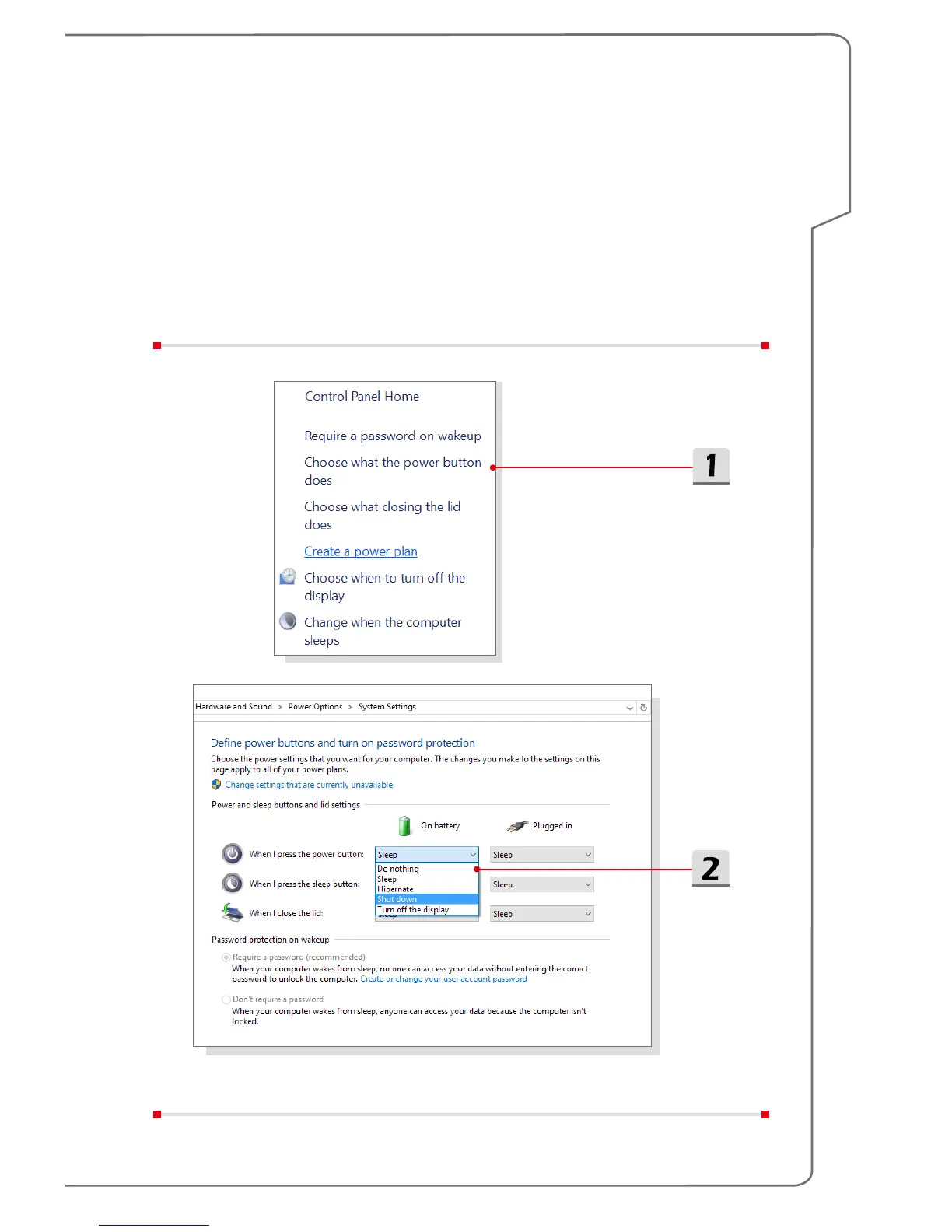
1. Find [Control Panel], select [Power Options] and then click [Choose what the
power button does].
2. Choose [Sleep] or [Shut down] in the drop-down list.


 To Next Page