3-12
User's Manual
Connect Your VR Headset to the VR Backpack PC
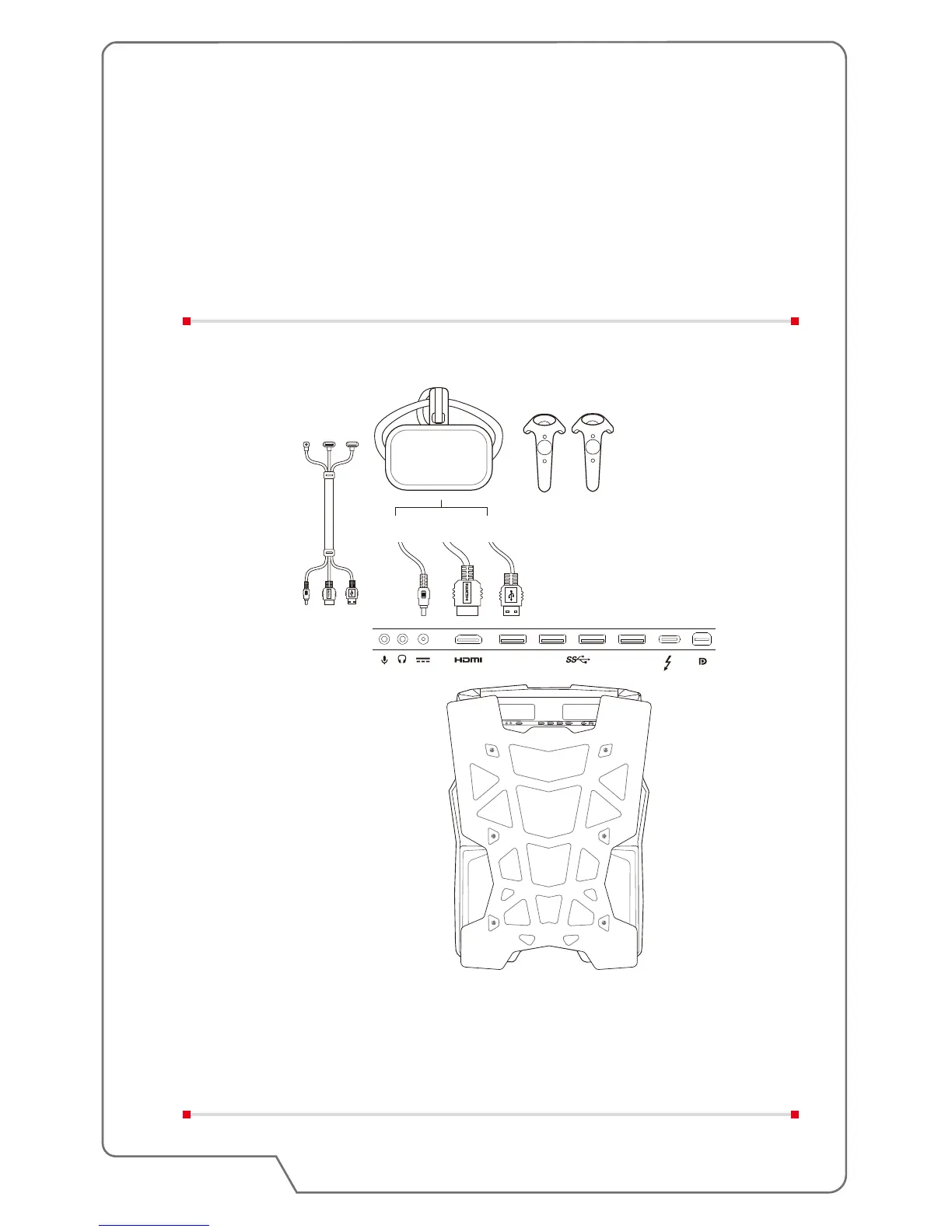
Connect your VR headset to VR backpack PC and disconnect the monitor.
Note: If you're a HTC VIVE user, replace the VIVE headset cables with the 3-in-1
cable for VIVE for immersive VR experience.
Activate VR software from the remote client PC. You are now ready to explore the
world of virtual reality.
3-in-1 cable
for VIVE


 To Previous Page