3-11
MS-9A55
Boot
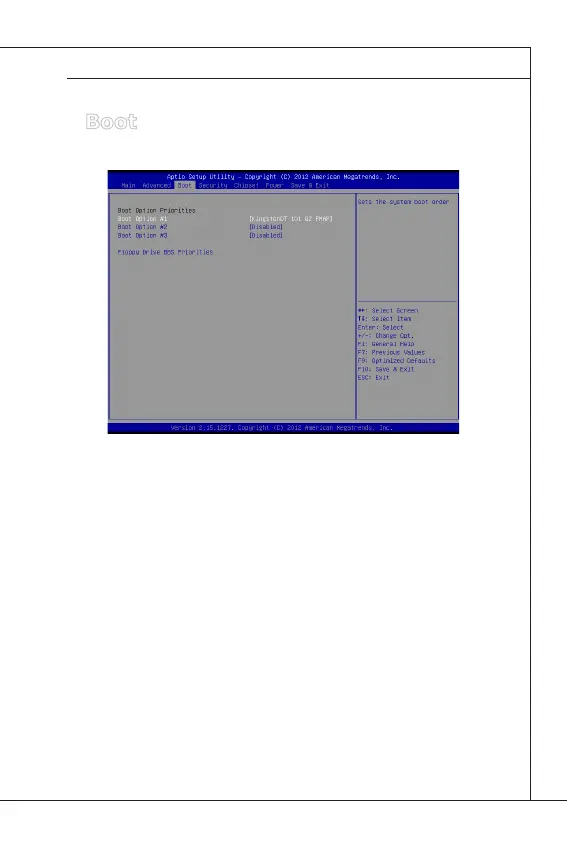
Boot Option Priorities
This setting allows users to set the sequence of boot devices where BIOS
attempts to load the disk operating system.
Floppy Drive BBS Priorities
This setting allows users to set the priority of the specied devices. First
press <Enter> to enter the sub-menu. Then you may use the arrow keys ( ↑
↓ ) to select the desired device, then press <+>, <-> or <PageUp>, <Page-
Down> key to move it up/down in the priority list.
▶
▶


 To Next Page