
 Need help?
Do you have a question about the MSI Z68A-G43 series and is the answer not in the manual?
Legal statement regarding intellectual property and product changes.
Lists registered trademarks of various companies used in the manual.
Records changes and release dates for manual versions.
Information on obtaining technical assistance from MSI and distributors.
Covers essential safety guidelines for equipment handling and operation.
Specifies maximum temperature limits to prevent equipment damage.
Details compliance with FCC rules for digital devices and interference.
Notes regarding modifications and required interface cables.
Instructions for proper disposal of batteries in EU, Taiwan, and California.
Warning about explosion risk if battery is incorrectly replaced.
Information on chemical substances in products per REACH regulation.
Explains the EU directive on Waste Electrical and Electronic Equipment.
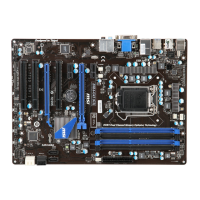
Details on supported CPUs, the Intel Z68 chipset, and DDR3 memory.
Information on LAN, Audio, SATA, RAID, USB 3.0, and Multi-GPU support.
Lists Back Panel, On-Board, and Expansion Slots connectors.
Details on Form Factor and Mounting Screw Holes for installation.
Visual guide for PS/2, USB 2.0 ports on the back panel.
Information on the USB 3.0 port and its SuperSpeed capability.
Details on LAN connection, VGA/DVI-D port usage with IGP.
Explains the function of different colored audio jacks for sound devices.
Overview of LGA 1155 CPU, overheating, replacing, and overclocking risks.
Instructions for preparing the CPU socket and aligning the CPU.
Guidance on securing the CPU, applying thermal paste, and mounting heatsink.
Final steps for heatsink securing, fan connection, and important notes.
Instructions for installing the mainboard with screw holes and related precautions.
Details on connecting the 24-pin and 4-pin ATX power connectors.
Emphasis on secure power cable connections for stable operation.
Information on DDR3 memory slots and Dual-Channel mode population.
Important notes for ensuring system stability with memory modules.
Step-by-step guide on unlocking, inserting, and locking memory modules.
Description of PCIe and PCI expansion slot capabilities.
Important safety and procedural advice for installing expansion cards.
Procedure for installing a single discrete video card.
Explanation of IRQ routing for PCI slots.
Details on SATA connectors and optimal cable connection methods.
Information on CPUFAN1 and SYSFAN connectors and fan installation.
Details on front panel power/LED connectors and audio connector.
Important notes for correct orientation of front panel connectors.
Information on USB 2.0 expansion and S/PDIF-Out connectors.
Important notes regarding VCC and GND pin connections.
Details on chassis intrusion switch and optional TPM module connectors.
Information on parallel and serial port connectors for external devices.
Instructions for using the JBAT1 jumper to clear CMOS settings.
Steps to enter BIOS and an overview of its interface and features.
Explains how to navigate through the BIOS menus and options.
Displays system info and introduces SETTINGS, OC, ECO menus.
Covers BROWSER, UTILITIES, SECURITY, Boot Priority, and Mode Selection.
Details hot keys, mouse operations, sub-menu navigation, and help.
Shows current CPU and DRAM frequencies; read-only.
Allows adjustment of CPU multiplier and base frequency.
Options to adjust CPU ratio in OS and modify PLL voltage.
Covers EIST, Turbo Boost, OC Genie, and DRAM timing control.
Detailed settings for advanced DRAM timing configurations.
Explains parameters like tCL, tRCD, tRP, tRAS for memory timing.
Details on memory timings tRFC, tWR, tWTR, tRRD, tRTP, tFAW, tWCL, tRTL.
Settings for advanced channel timings and integrated graphics overclocking.
Covers GT ratio, adjusted frequency, and spread spectrum for EMI reduction.
Adjusts DRAM voltage and manages overclocking profiles (save/load).
Displays CPU features, technology support, and detailed memory information.
Provides CPU features and options to select the number of active processor cores.
Covers CPUID, Execute Disable Bit, Virtualization, and VT-D.
Details on Power Technology, C1E Support, OverSpeed Protection, and C-States.
Configuration for long duration, short duration, and turbo power limits.
Shows the ratio limits for 1, 2, 3, and 4 CPU cores.
Steps for updating the BIOS automatically using Live Update utility.
Important warnings about potential issues during BIOS flashing.
Description of drivers and utilities available on the installation disc.
Instructions for installing the Winki software for BIOS features.
 General
| Form Factor | ATX |
|---|---|
| Socket | LGA 1155 |
| Chipset | Intel Z68 |
| Memory Type | DDR3 |
| Memory Slots | 4 |
| Maximum Memory Supported | 32 GB |
| PCIe 3.0 x16 | 1 |
| PCIe 2.0 x16 | 1 |
| PCIe x1 | 2 |
| PCI Slots | 2 |
| SATA 6Gb/s | 2 |
| SATA 3Gb/s | 4 |
| USB 3.0 ports | 2 |
| Audio | Realtek ALC892 |
| LAN | Realtek RTL8111E |


 To Next Page