7. Operating with iOS devices
26 27
7. Operating with iOS devices
ENGLISH ENGLISH
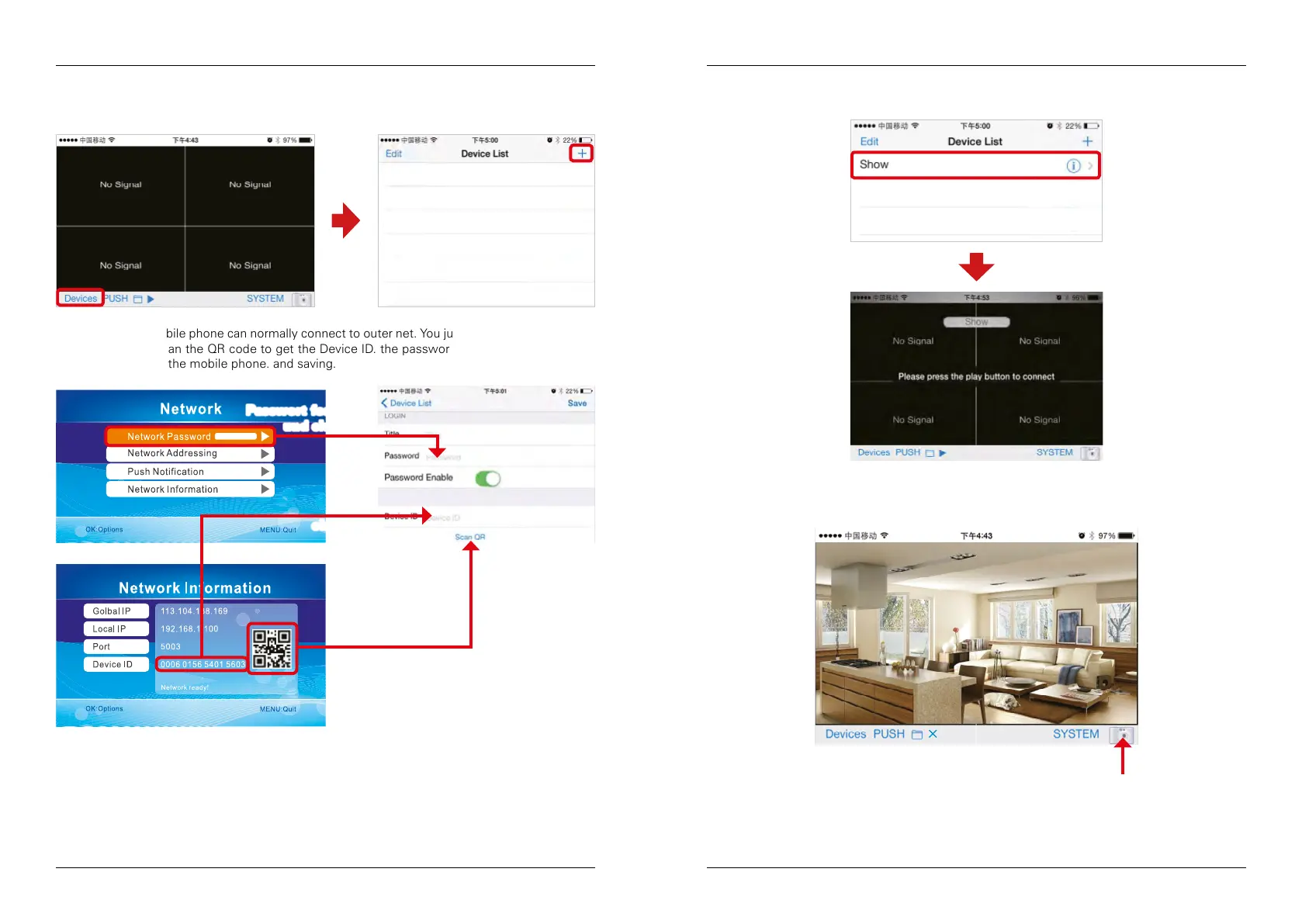
1. Click the APP and enter “Device list” interface. Click the „plus“ icon to add new camera.
oder scannen
eingeben
2. When RX and mobile phone can normally connect to outer net. You just need to input device ID
to the client or scan the QR code to get the Device ID. the password is set up in the receiver,
and then input to the mobile phone. and saving.
Passwort festlegen
und eingeben
3. To view the video image, you need to choose the right title in the Device list, then click the line
to enter the monitoring mode.
4. Click on the bottom „play“ icon. APP will try to connect the RX of the previous selected title, if
connection is successful, the video image will display on the client.
Take a photo
2013/11/15/16:43


 To Next Page