DCS Remote Commander
8
O-GAUGE OPERATION
DCS Remote Commander
The following Guide will help you trouble shoot your DCS Remote Commander
handheld remote with O-Gauge Engines.
Troubleshooting Guide
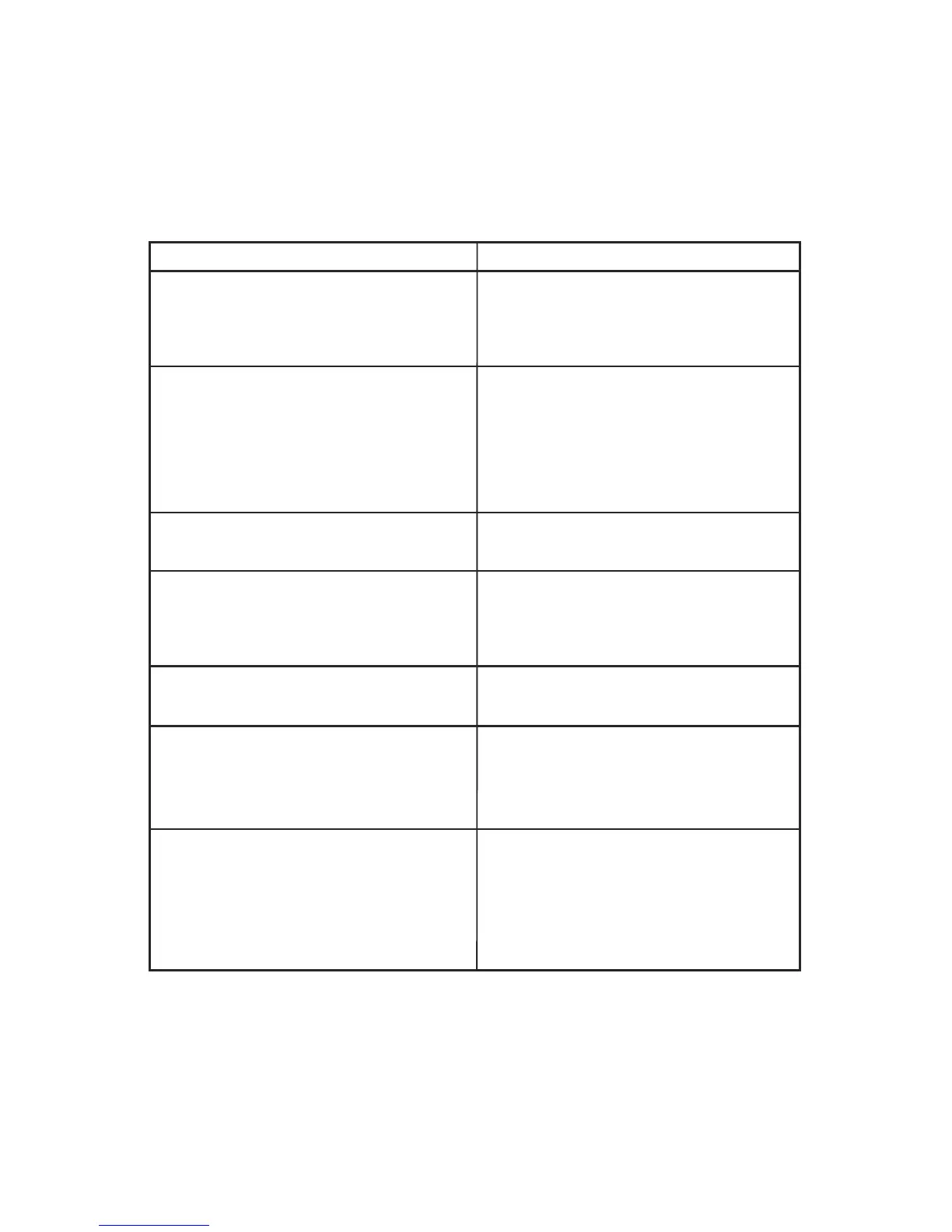
Engine address must be set to factory
default. The engine must be reset to
factory defaults using either a DCS
System or a DCS Commander.
Replace the batteries in the handheld
remote with two fresh “AA” batteries.
Be sure the remote is generally
pointing toward the receiver base
within 20 feet. Remove red lens and
make sure IR receiver is centered.
Solution
Symptom
Ensure SU/SD has been pressed.
Press the VOL button then press +
on the throttle control to raise the
volume
1. Ensure the model has coil-wound
proto-couplers.
2. Press the CPLR button then press
+ or - on the throttle control within 2
seconds to fire the front (+) or rear (-)
coupler.
Press the VOL button then press +
or - on the throttle control within 2
seconds to raise or lower engine
volume
Press the DIR button to cycle
through all four PFA sequences
Engine must be standing still to play
the Idle Sounds
Engine does nothing when Start-Up
is pressed
Green light on receiver is not
flashing when a button is pressed
on the handheld remote
Engine has no sound
Engine’s coupler will not fire
Engine only plays first PFA
sequence sounds
Engine Volume is not adjusting
when the throttle control is pressed
Idle sounds are not playing when
the SND button is pressed



 To Next Page