Step-1. Constant Current Discharge at 1000mA and cut-off this step at 2.75V.
Step-2. Rest for 1 minute.
Step-3. Constant Current Charge at 1500mA and cut-off this step at 4.2V.
Step-4. Constant Voltage Charge at 4.2v and cut-off when the charging current down to 25.
Step-5. Rest for 5 minutes.
Step-6. Do cycle from step 1 to step 5 and total for 9999 times.
Step-7. Stop when testing procedure is done.
From 1 Startup: This procedure will be startup from step 1.
Delay Prot: If protection mode occurs, delay for xxx seconds (usually set as 0 for safety).
CapPerVal: Set to calculate specific capacity, here is 20 mg for the weight.
Record Condition: Record the data by time interval, current interval and voltage interval, if choose all, they are in
Logic OR Operation, here records the data every 5 seconds.
Protect Param: Hi Voltage is upper limit of voltage in whole procedure; here is 4.25V, whenever it is beyond
4.25, protection mode actives.
Low Voltage is lower limit of voltage in whole procedure; here is 2.5V, whenever it goes lower
than 2.5, protection mode actives.
Current Range upper limit of current in whole procedure; here is 2500mA, whenever it is beyond
2500, protection mode actives.
Base Information: Create the information you can easily memorize and search from history data.
Bak Setting: Backup the current working step.
NDB Setting: Record all the working step.
Clear Step: Clear the step you set.
Save File: Save the setting.
Open File: Open a file you saved before for fast setting.
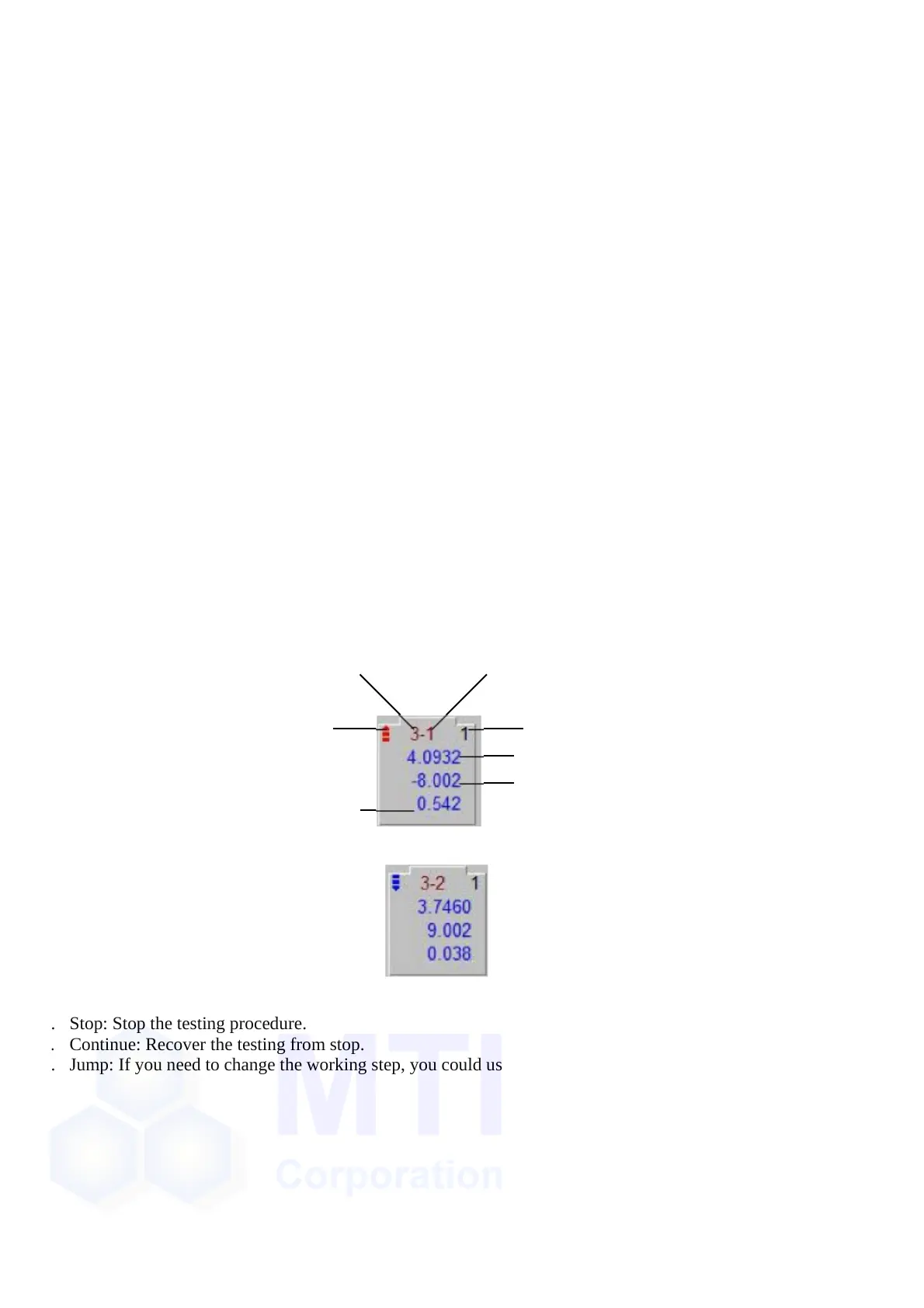
When get everything ready, you can click “OK” to start the testing and the normal view would go to:
Case No.
Discharge
Channel No.
Step No.
Real-time Voltage
Real-time Current (“-” indicates discharge)
Real-time Capacity
And when charging, it would be:
b.
c.
d.
e.
Batch Startup: Similar to Startup but you can add battery batch number for easily recognize and search.
Stop: Stop the testing procedure.
Continue: Recover the testing from stop.
Jump: If you need to change the working step, you could use “Jump”:


 To Next Page
 Loading...