CX FLEX™ 4A PRODUCT MANUAL
3
MTI P/N 063-00318 rev A ©2019 MTI All Rights Reservedwww.mtigs.com | T:800.426.6844
1
3
2
4
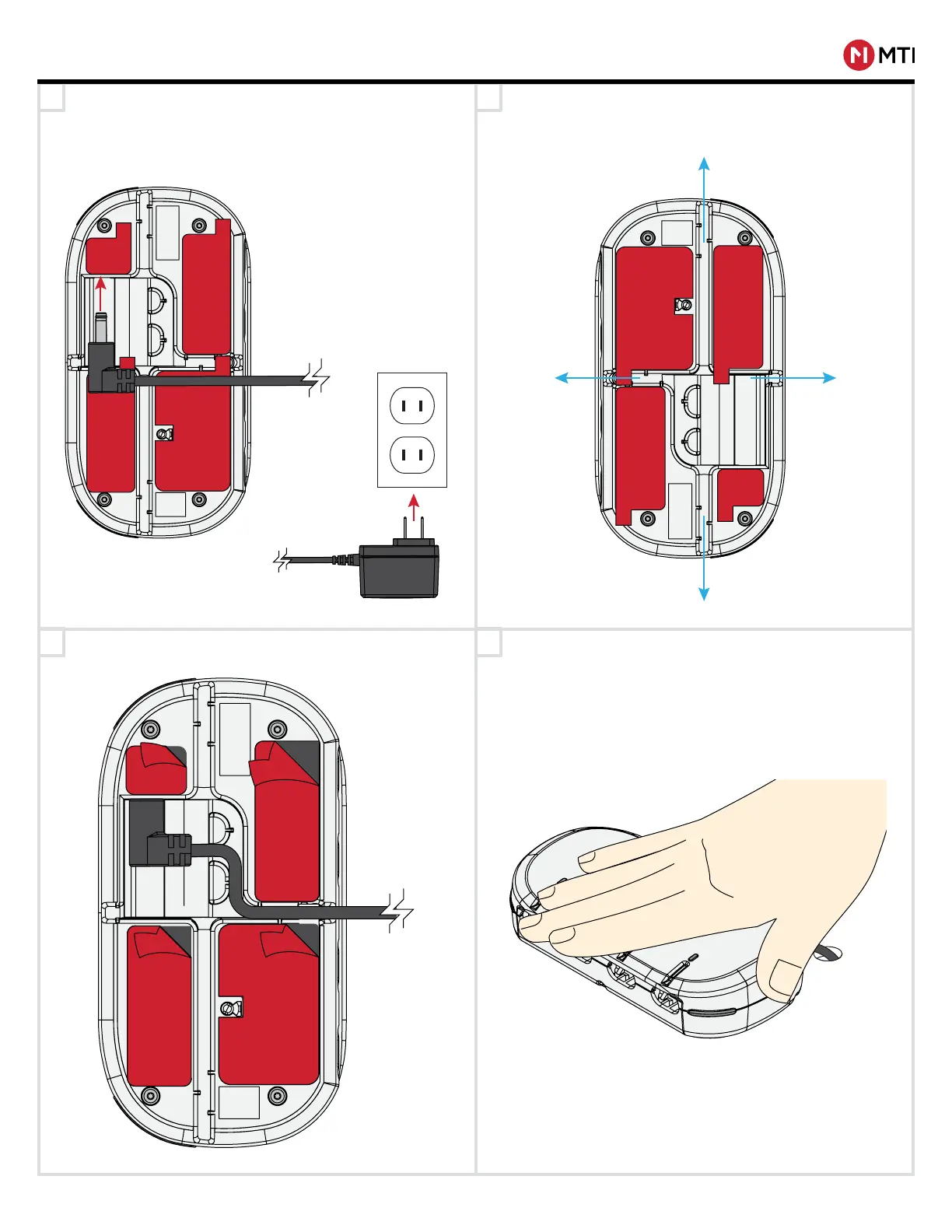
Feed power cable up through hole in xture (if needed),
and plug the barrel connector into the receptacle on the
bottom of CX Flex, and plug the provided power supply
into the nearest outlet. Use an outlet installed near the
equipment that is easily accessible.
Route the power cord out of the CX Flex using the
provided channels (marked in blue). The cable may exit
down through a hole in the xture or out from any side.
INSTALLATION
Press down on the base plate for 20 seconds for full VHB
contact. Allow 24 hours for full VHB adhesion.
Clean the desired surface with an alcohol pad allow it to
completely dry. Peel the red lm from the VHB adhesive.



 To Next Page