Operation
Note: Read and understand all warning and precaution statements listed in the safety section of
this instruction manual prior to using the meter. Set the function select switch to the OFF
position when the meter is not in use.
AC Current Measurement
WARNING : Ensure that the test leads are disconnected from the meter before making current
clamp measurements.
1. Set the function switch to 400 or 40A range.
2. If the range of the measured current is not known, select the higher range first than move
to the lower range, if necessary.
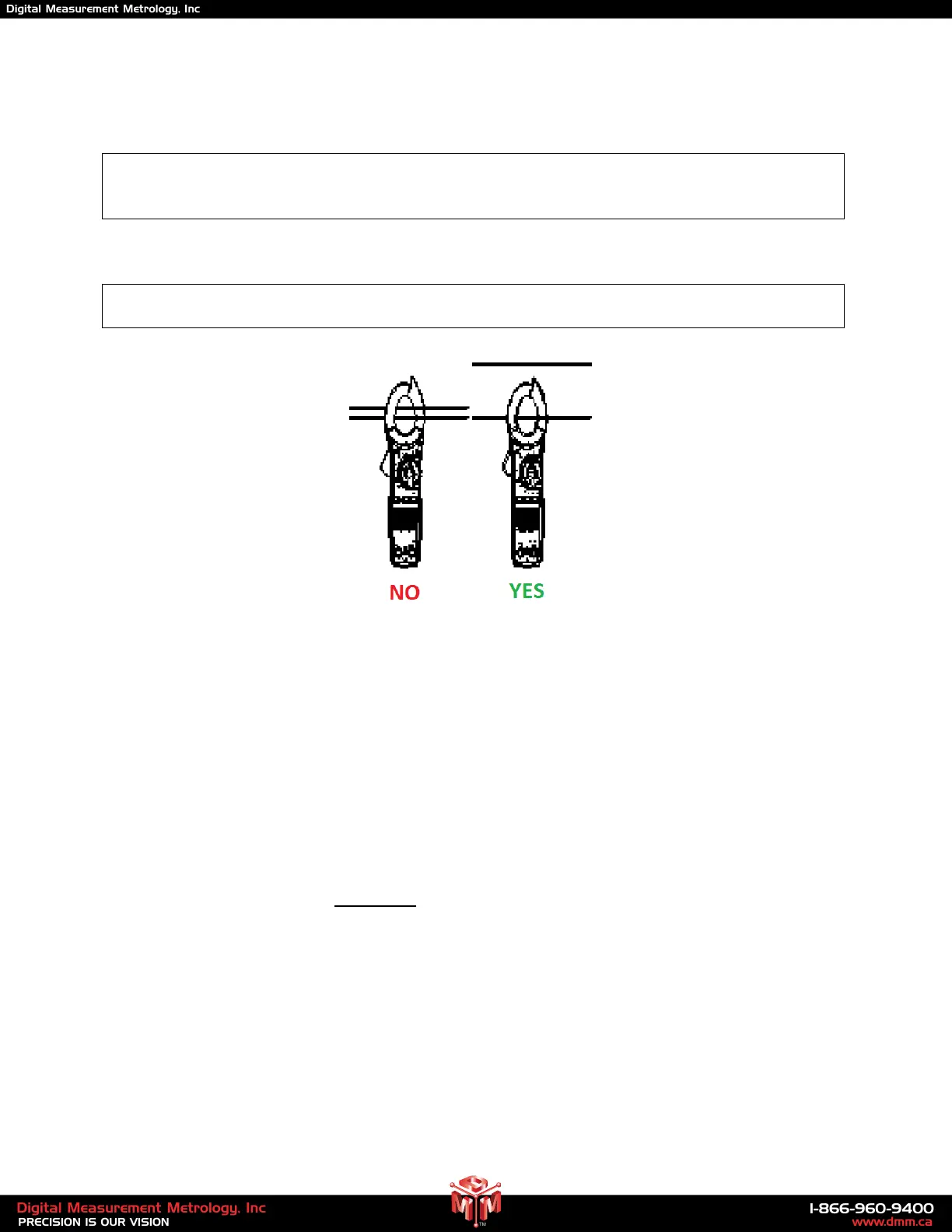
3. Press the trigger to open the jaw. Fully enclose one conductor to be measured.
4. Read the current measurement value on LCD display.
AC/DC Voltage Measurement
1. Insert the black test lead into the negative (COM) terminal and the red test lead into the
positive (V) terminal.
2. Set the function switch to the "V" position.
3. Select AC or DC with the MODE button.
4. Connect the test leads in parallel to the circuit under test.
5. Read the voltage measurement on the LCD display.
6
www.dmm.ca
1-866-960-9400
PRECISION IS OUR VISION
Digital Measurement Metrology, Inc
TM
Digital Measurement Metrology, Inc


 To Next Page